QR Codes for Business: From Menu to Checkout
A QR code is the cheapest distribution channel you own. This guide covers static vs dynamic QR, the highest-value business use-cases, how to design a code that actually scans, how to track every scan back to a campaign, and how to wire QR into payments, WhatsApp and lead capture across SabNode.
A QR code for business is a scannable square that connects a physical surface — a menu, a poster, a counter sticker — to a digital action like paying by UPI, opening a WhatsApp chat, or filling a form. Used as a dynamic code, it becomes editable after printing and counts every scan, turning print into a measurable channel.
That last word — measurable — is the whole point of this guide. Most businesses treat a QR code as a throwaway: generate a static square, slap it on a flyer, and never know if a single person scanned it. Done properly, a QR code is the cheapest distribution channel you own, with built-in attribution. We'll cover the difference between static and dynamic codes, the use-cases that actually pay off (menus, UPI payments, click-to-WhatsApp, lead capture, reviews, packaging), how to design a code that scans every time, how to track scans by location, device and time, and how to tie each scan back to a campaign and into your CRM. Then we'll walk through building a dynamic QR campaign step by step in SabNode.
Why QR codes earn their place in 2026#
It is tempting to file QR codes under "pandemic relic." The opposite is true, especially in India. The same code that let a cafe show a contactless menu in 2021 now sits on every kirana counter as a UPI sticker, on the back of every product as a how-to link, and on event badges as a tap-to-connect card. The behaviour stuck because the phone camera made scanning frictionless: point, tap the banner, done. No app to install, no link to type, no friction between intent and action.
For a business, a QR code occupies a slot nothing else fills — it is the bridge between the physical world where your customer is standing and the digital action you want them to take.
The catch is that almost everyone uses QR codes badly. They print a static code that can never be fixed if the link changes, they never measure a single scan, and they make the path after the scan long and confusing. This guide is about fixing all three — and the fix starts with one decision.
Static vs dynamic QR codes: the decision that changes everything#
Every QR code you will ever make is one of two kinds, and choosing wrong is the most expensive mistake in this entire field because you cannot undo it after printing.
A static QR code bakes the destination directly into the black-and-white pattern. If it points to sabnode.com/menu, that string is physically encoded in the squares. There is no server in between. That makes it free and permanent — and completely rigid. You cannot change where it goes, and you cannot count a single scan, because nothing you control sits between the phone and the destination.
A dynamic QR code encodes a short redirect link instead — something like sab.link/x7k. When someone scans it, their phone hits your redirect service first, which logs the scan and then forwards them to wherever you've currently pointed the code. Because the printed pattern only ever holds that redirect, you can change the destination any time, schedule it, and record every scan with location, device and time.
| Capability | Static QR | Dynamic QR |
|---|---|---|
| Edit destination after printing | No — permanent | Yes — change any time |
| Track scans (count, time, location, device) | No | Yes |
| Tie scans to a campaign / CRM | No | Yes |
| Fix a broken or expired link | No — reprint | Yes — edit the redirect |
| Pattern density (with a long URL) | Denser, harder to scan | Sparse, easy to scan |
| Works if your account lapses | Yes — but uneditable | Redirect needs an active account |
There is one genuine engineering benefit to dynamic codes that people miss: because the encoded link is short, the pattern is sparser and therefore easier to scan than a static code holding a long, parameter-stuffed URL. A static code pointing to a tracked campaign link with UTM parameters becomes a dense grid that struggles at small sizes; a dynamic code stays clean.
A simple rule: a QR code that will be printed, shipped or stuck somewhere physical should always be dynamic. The few seconds you save with a static code are dwarfed by the first time a link changes, a campaign ends, or your boss asks "how many people actually scanned it?" Static is only defensible for a throwaway code you control digitally and will regenerate freely — and even then, dynamic costs you nothing extra.
The QR use-cases that actually pay off#
A QR code is only as good as what happens after the scan. The placements below win because the customer already has a reason to act and the path after the scan is short. These are the codes SabNode's QR generator is built around.
Restaurant and cafe menus#
The original mass use-case, and still the best. A code on the table tent opens the menu — and a dynamic code means you update prices, mark dishes out of stock, or swap the lunch menu for dinner without reprinting a thing. Pair it with a click-to-WhatsApp code so the table can place an order or call a waiter from the same scan. Because it is dynamic, you can see which tables scan most and what time the rush starts.
UPI and payment QR codes#
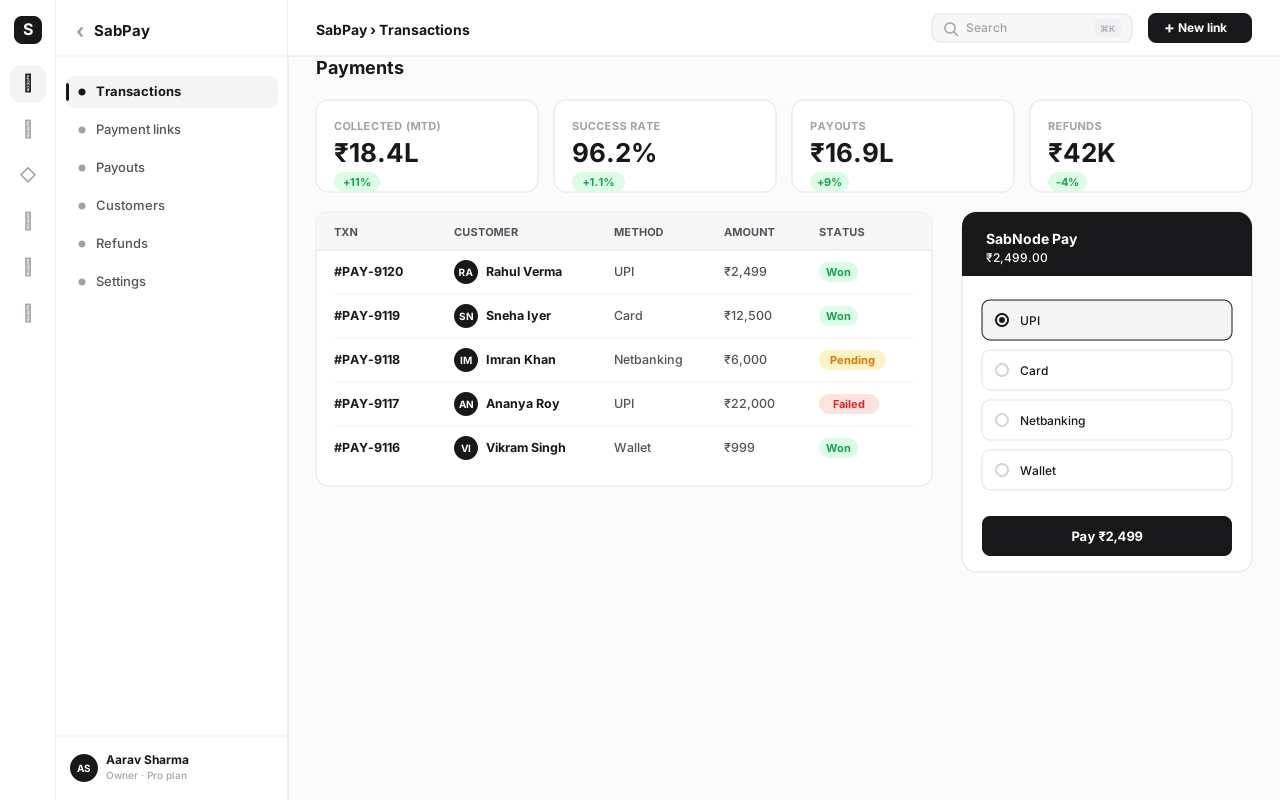
This is the killer use-case in India. A UPI QR code encodes your VPA so any UPI app pre-fills a payment — the sticker on the counter that powers half the country's small-business commerce. But a static UPI sticker tells you nothing. A dynamic payment QR generated through SabPay can instead open a hosted payment page with an itemised amount, accept UPI, card or netbanking, and record the payment against the order — and it counts the scan-to-pay conversion. We go deep on the digital side of this in the payment links guide.
Click-to-WhatsApp QR codes#
A WhatsApp QR (also called a click-to-chat code) opens WhatsApp with your business number and a pre-filled message — "Hi, I saw your ad and want a quote." Printed on packaging, flyers, billboards or shop windows, it turns passive viewers into conversations with zero typing. Wired through WaChat, that conversation lands in a shared team inbox, can fire an automated reply, and starts a thread you can route, tag and follow up. For the full picture of running WhatsApp as a channel, see the WhatsApp Business API guide.
Lead capture at events and on print#
A code on a flyer, banner or event backdrop opens a lead form pre-tagged with the source. The scanner fills in name and number, and the contact drops straight into your CRM attributed to that exact placement. This is how you finally answer "did the trade-show banner actually generate leads?" — because every scan is a logged event tied to that one code.
Reviews, packaging, vCards and check-in#
- Review requests on receipts and packaging open your Google review page the moment satisfaction is highest.
- Product packaging codes carry how-to videos, authenticity checks, reorder links or warranty registration — and dynamic means you change the destination as the product lifecycle moves.
- vCard / bio QR on a business card or badge saves your full contact details or opens a link-in-bio page in one scan.
- Event check-in codes speed entry and, scanned the other way, let attendees pull the agenda or connect.
| Use-case | Where it lives | Scan opens | Connects to |
|---|---|---|---|
| Menu | Table tent, counter | Live menu / order page | WaChat, SabPay |
| UPI payment | Counter sticker, invoice | UPI app or payment page | SabPay |
| Click-to-WhatsApp | Packaging, ads, window | Pre-filled WhatsApp chat | WaChat inbox |
| Lead capture | Flyer, event banner | Source-tagged form | CRM / lead management |
| Review request | Receipt, packaging | Google review page | Reputation tracking |
| vCard / bio | Business card, badge | Contact card / bio link | CRM contact |
Designing a QR code that always scans#
A code that looks great on screen and fails on the wall is worse than no code at all — it burns trust at the exact moment of intent. Four physical properties decide whether a scan succeeds.
Contrast and colour#
The scanner reads dark modules against a light background. Keep it that way. Dark-on-light with strong contrast is the safe default; a navy or black code on white or cream scans from across a room. Never invert it to light-on-dark unless you have tested every target phone, and avoid low-contrast pastel-on-pastel combinations entirely. If you brand the code with colour, keep the foreground genuinely dark and the background genuinely light — the camera does not care about your palette, only the contrast.
Quiet zone#
The quiet zone is the blank margin around the code. It needs to be clear — at least four modules wide on every side — with nothing crowding it: no text, no border line, no image bleeding in. The most common real-world scan failure is a designer who placed the code flush against other elements and starved its quiet zone. Give it room to breathe.
Size and scan distance#
Size the code for how far away people scan from. A rough rule: the code's width should be about one-tenth of the scanning distance. A table tent read from 30 cm is fine at 3 cm. A poster read from 2 metres needs a code around 20 cm wide. A billboard needs a code far bigger than people expect. Undersizing for the distance is the second most common failure.
Error correction and logos#
QR codes carry built-in error correction — they can still be read with part of the pattern damaged or obscured. That redundancy comes in levels (commonly referenced as L, M, Q, H), and a higher level lets you drop a logo into the centre without breaking the scan. The trade-off is that higher error correction makes the pattern denser. The right move: use a higher level only when you're adding a centre logo, keep the logo small (well under a third of the code area), and otherwise stay at a moderate level for the cleanest possible pattern.
The single rule that prevents most QR disasters: never send a code to a full print run without testing the actual printed proof. Screen-testing is not enough — paper reflectivity, ink bleed and real-world lighting change everything. Print one proof, then scan it with three or four different phones (an older Android, a newer iPhone, a budget device) from the real distance and in the real lighting. Only then approve the run.
Tracking scans and tying them to campaigns#
This is where a dynamic QR stops being a convenience and becomes a growth tool. Because every scan routes through your redirect, every scan is a data point.
What you can measure#
Each scan is a logged event, and from it you get:
- Volume — total scans and unique scanners, so you can separate curiosity (one person scanning twice) from reach.
- Time — the timestamp of each scan, which reveals when your audience acts: lunch rush, post-event spike, weekend lull.
- Location — approximate city or region derived from the network, so a national campaign shows you which markets respond.
- Device — operating system and device type, useful for everything from "is my landing page mobile-perfect?" to audience profiling.
One code per placement#
The power move is to mint a separate dynamic code for every physical placement — one for the table tent, one for the counter sticker, one for the flyer, one for the billboard — all pointing to the same destination. Now your scan dashboard becomes an attribution report: you can see, in hard numbers, that the counter sticker outperforms the table tent ten to one, and reallocate your print budget accordingly. With a single shared code you would never know.
From scan to CRM#
The final link is attribution into your customer record. When a lead-capture code's form is submitted, the contact should land in your CRM tagged with the code's campaign and placement. When a payment QR is scanned and paid, the transaction should attach to the order and the campaign. That closes the loop from a physical square to revenue — and our lead management guide covers how to work those captured contacts once they arrive.
How to create a dynamic QR campaign in SabNode#
Here is the end-to-end flow for launching a tracked QR campaign — the same steps whether you're powering a menu, a UPI counter sticker, or a click-to-WhatsApp packaging code.
-
Open the QR generator and pick a type. In SabNode, head to the QR module and choose what the code should do: a link/menu QR, a UPI payment QR (via SabPay), a click-to-WhatsApp QR (via WaChat), a lead-capture form QR, or a vCard. The type sets the destination fields you'll fill in next.
-
Set the destination. Enter the target — a menu URL, your VPA and amount for UPI, your WhatsApp number and pre-filled message, or the lead form. Because this is a dynamic code, remember you can change every one of these later without touching the printed code.
-
Name the campaign and the placement. Give the code a clear name like "Diwali flyer — counter" and a placement tag. If you're printing the same destination across several surfaces, create one code per surface so each is tracked separately.
-
Design the code. Set a dark foreground on a light background, keep strong contrast, and add your logo to the centre only if you raise the error-correction level. Preview the pattern density — if it looks crowded, simplify.
-
Test the proof. Download the code, print a single proof at the size it will appear, and scan it with multiple phones from the real distance and lighting. Confirm it lands exactly where it should. Do not skip this.
-
Approve and print. Once the proof scans cleanly on every device, send the artwork to your full print run or apply it to your digital surface.
-
Watch the analytics. As scans roll in, open the QR dashboard to see volume, timing, location and device — and the per-placement breakdown that tells you which surface is working.
-
Edit and optimise live. Because it's dynamic, you can repoint a code mid-campaign — swap a sold-out offer for the next one, redirect an expired event code to a recap page — and the printed square keeps working.
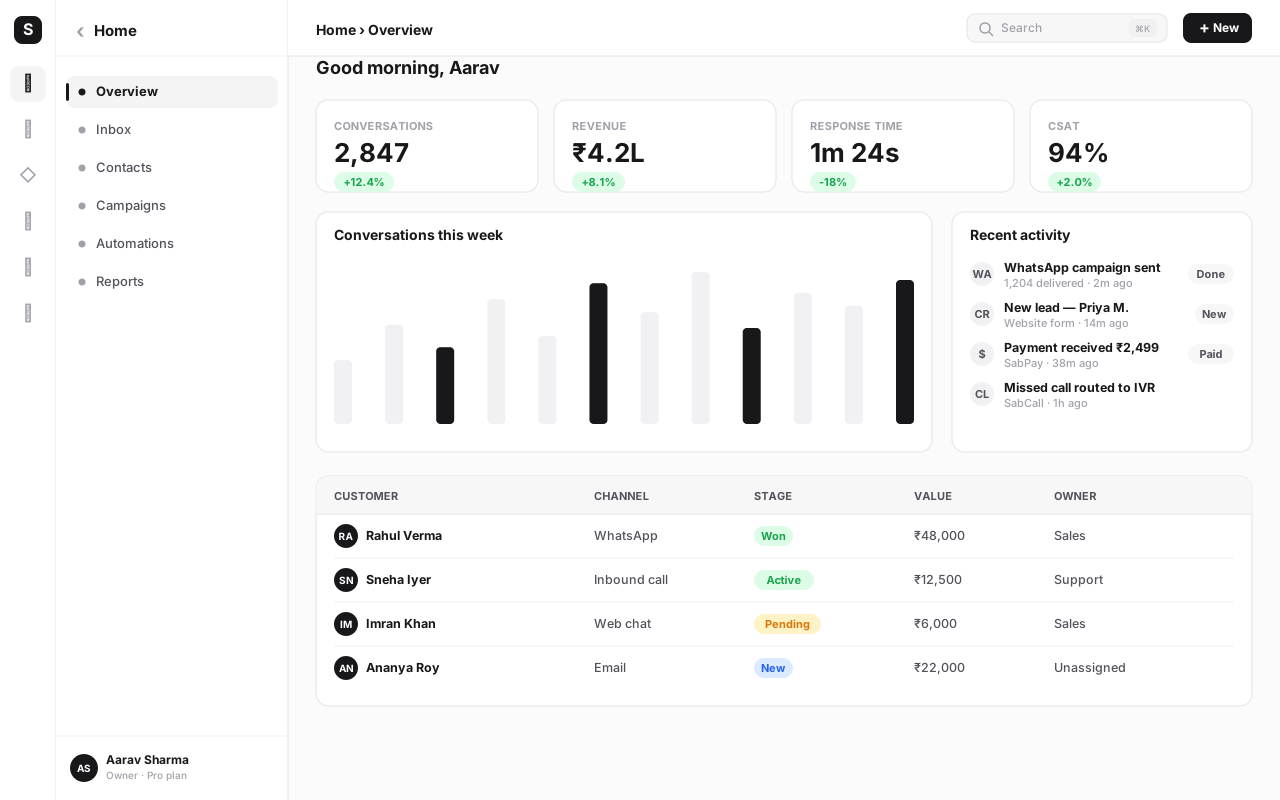
Connect the dots across the platform: a single scan can flow into a WaChat conversation, a SabPay transaction, and a CRM contact at once. A click-to-WhatsApp QR on a flyer opens a chat in your shared inbox, an automation captures the lead into your CRM with the flyer's campaign tag, and if they buy, the payment QR ties the revenue back to that same flyer. That is the difference between a QR code and a QR system.
Common mistakes to avoid#
Most QR failures are not exotic — they're the same handful of errors, repeated. Avoid these and you're ahead of the vast majority of businesses.
- Using a static code for anything printed. The moment a link changes, a campaign ends, or someone asks for scan numbers, you'll regret it — and you can't fix it without reprinting. Default to dynamic.
- Starving the quiet zone. Crowding the code with text or a border is the top design-side cause of failed scans. Leave a clear margin on all four sides.
- Sizing for the screen, not the distance. A code that's perfect on a laptop is unscannable on a billboard. Size for how far away people stand.
- Low contrast or inverted colours. Pastel-on-pastel and light-on-dark codes look stylish and scan terribly. Keep it genuinely dark-on-light.
- Never testing the printed proof. Screen-testing misses paper reflectivity, ink bleed and real lighting. Always scan a physical proof on several phones first.
- No call to action next to the code. A bare square gives people no reason to scan. Add one line — "Scan to pay," "Scan for the menu," "Scan to chat on WhatsApp."
- A long, slow landing page after the scan. The scan is the easy part; a heavy, non-mobile page loses the customer you just won. Keep the post-scan path short and mobile-first.
- One shared code everywhere. Using a single code across all surfaces throws away your attribution. One code per placement is the whole point.
- Ignoring the analytics. A tracked code you never check is just a static code with extra steps. Read the dashboard and act on it.
Where QR fits in your wider stack#
A QR code is rarely the whole campaign — it's the on-ramp. The scan is the first second of a journey that should continue inside the tools you already run. On SabNode, that journey is built in: the payment QR is a SabPay flow, the click-to-WhatsApp QR opens a WaChat thread, the lead-capture QR writes to your CRM, and you can even pair a QR with an SMS follow-up to nudge a scanner who didn't convert. The square on the wall is cheap; the system behind it is what compounds.
Because everything sits in one platform, a scan doesn't dead-end in some standalone QR tool with no memory. It becomes a conversation, a payment, a contact and a data point — all attributable to the exact placement that produced it. That is the version of QR codes worth building.
Turn every printed square into a tracked channel
Start freeConclusion#
A QR code is one of the rare growth tools that costs nothing to make and, done right, pays you back in data as well as conversions. The whole game comes down to a few choices: go dynamic so you can edit and measure, design for the physical world so it scans every time, mint one code per placement so you can attribute, and connect the scan to the action — a payment, a chat, a lead — so the square on the wall actually moves your business.
Treat QR not as a novelty but as the bridge between where your customer is standing and what you want them to do next. Build that bridge properly — measurable, editable, connected — and a printed menu, a counter sticker or a flyer becomes a channel you can read, tune and grow. See how QR fits alongside payments, WhatsApp and the rest of the stack on the products page, compare what each plan unlocks on pricing, or just start free and put your first dynamic code in the world.
Frequently asked questions
What is the difference between a static and a dynamic QR code?
A static QR code hard-codes its destination directly into the pattern, so the data — a URL, a UPI string, a phone number — is fixed forever and cannot be changed after printing. A dynamic QR code instead encodes a short redirect link that points to your destination, which you control from a dashboard. Because the printed code only ever holds that redirect, you can change where it points, schedule different destinations, and — crucially — count every scan, with location, device and time. For any business use you want dynamic: it is editable and measurable, where static is neither.
Are dynamic QR codes free, and do they expire?
The QR image itself is always free to generate — a QR code is just an open standard, and no one can charge you for the square. What you pay for with a dynamic code is the redirect-and-analytics service that sits behind it: the short link, the dashboard, the scan tracking and the ability to edit the destination. In SabNode that service runs as long as your account is active, so your printed codes keep working and keep counting. A static code never expires because there is no service behind it — but it also can never be edited or tracked.
Can a QR code take payments directly?
Yes. In India a UPI QR code encodes a payment string (your VPA, payee name and optionally an amount) that any UPI app — GPay, PhonePe, Paytm — reads to pre-fill a payment. For a richer flow, a dynamic QR can instead point to a hosted payment page or payment link, so the customer scans, sees an itemised amount, pays by UPI, card or netbanking, and you get a confirmation and a record against the order. SabPay generates both the UPI QR and the payment-page QR, and ties each scan-to-pay back to the campaign that drove it.
How do I make a QR code that always scans reliably?
Four things decide whether a code scans: contrast, quiet zone, size and error correction. Keep the pattern dark on a light background with strong contrast — never light-on-dark or low-contrast pastels. Leave a clear margin (the quiet zone) of at least four modules around the code with nothing touching it. Size it for scan distance: roughly the code width should be one-tenth of the distance a user scans from, so a poster read from two metres needs a code around 20 cm wide. Use a higher error-correction level when you add a centre logo, and always test the printed proof with three or four phones before the full print run.
What can I track when someone scans a dynamic QR code?
A dynamic QR routes every scan through your redirect, so each scan becomes a logged event. You can see total scans and unique scanners, the time and date of each scan, the approximate location (city or region from the network), and the device and operating system. Tie a unique code to each placement — table tent, flyer, packaging, billboard — and you can compare which physical surface actually drives action, then attribute scans to a campaign and push the resulting contact or payment into your CRM.
Where should a business actually use QR codes?
The highest-return placements share one trait: the customer already has their phone out and a reason to act. Restaurant and cafe menus, table-tent ordering and UPI payment stickers at the counter are the classic India use-cases. Beyond that: click-to-WhatsApp codes on packaging and ads that open a pre-filled chat, lead-capture codes at events and on flyers that open a form, review-request codes on receipts, vCard codes on business cards and badges, and product-authenticity or how-to codes printed on the packaging itself. Start where intent is highest and the path after the scan is short.