SabNode vs Wati: WhatsApp Business API Platforms Compared
Wati is a focused WhatsApp API tool. SabNode gives you the same WhatsApp API plus a full CRM, calling, SMS and automation on one contact timeline. Here's the real trade-off.
SabNode and Wati both give you WhatsApp Business API access with broadcast campaigns, a chatbot builder, a shared team inbox and a product catalog — on that core ground, they're close competitors. The real difference is scope: Wati is built to be the best tool for WhatsApp alone, while SabNode's WaChat module gives you the same WhatsApp capability wired into a native CRM, calling, SMS and email on one contact timeline. Which one is right depends on whether WhatsApp is the whole job or one channel among several.
SabNode vs Wati at a glance#
Before going deep on any one feature, it helps to see the two products side by side. The table below compares the areas businesses actually evaluate when they're choosing a WhatsApp Business API platform.
| Capability | Wati | SabNode (WaChat) |
|---|---|---|
| WhatsApp broadcast campaigns | Yes — core strength | Yes, same core capability |
| Visual chatbot / flow builder | Yes | Yes, plus flows can write to CRM/trigger SMS |
| Product catalog / commerce | Yes | Yes, plus custom e-commerce and Meta Flows |
| Shared team inbox | Yes | Yes, unified with SabChat's live chat inbox |
| Native CRM (pipelines, deals, custom objects) | No — tagging/notes only, connect via Zapier | Yes — SabCRM built in, same contact record |
| Native cloud calling / IVR | No | Yes — SabCall on the same platform |
| Native SMS (incl. DLT-compliant bulk) | No | Yes — SabSMS, India DLT-ready |
| Business email hosting | No | Yes — SabMail |
| Cross-module automation | Via third-party connector (Zapier etc.) | Native — SabFlow, no connector needed |
| Pricing model | Tiered monthly software fee + Meta conversation charges billed separately (confirm on wati.io) | ₹2,499–₹9,990/mo tiers include a message quota across channels; ₹0.10/extra message overage, never hard-blocked |
| Support | Email/chat support per plan tier | Priority email + chat on Growth and above |
Wati is a well-regarded, India-founded WhatsApp specialist, and for a team whose entire job is WhatsApp, it's a legitimate, well-built choice. This comparison isn't about which tool is "better" in the abstract — it's about scope. If you need WhatsApp only, evaluate both on WhatsApp features alone. If you'll need a CRM, calling or SMS within the next year, factor that in now rather than after you've bought a second tool.
What Wati does well#
Wati earns its reputation on focus. It set out to be a great WhatsApp Business API tool, and for small teams that need exactly that, it delivers.
A simple, WhatsApp-only interface. New team members can learn Wati's inbox and campaign builder in an afternoon, because there's nothing else competing for space in the product. For a support team or a small marketing team whose whole job is WhatsApp, that focus is genuinely valuable — there's no CRM tab, no dialer, no distraction.
A capable broadcast and bot builder. Wati's broadcast tools and drag-and-drop chatbot builder are mature — they've been iterated on for years specifically for WhatsApp use cases like order updates, catalog browsing and FAQ automation.
India-first roots. Being founded in India, Wati's team understands local WhatsApp Business use cases — COD confirmations, regional language support, and the compliance quirks Indian SMBs run into — reasonably well.
A recognizable, established name. Wati has been in the WhatsApp API space long enough that agencies and consultants are familiar with it, which can lower the learning curve if you're hiring people who've used it before.
Agency-friendly multi-client setup. Because Wati is built around a single, well-defined job, agencies managing WhatsApp for several small clients often find it quick to spin up and hand over — there's a shallower onboarding curve when the whole engagement is "get WhatsApp working," nothing more.
None of this is faint praise. A tool that does one job with real polish is a legitimate product, and for a huge number of small teams — a single-location retailer confirming orders, a clinic sending appointment reminders, a coaching business running one broadcast list — WhatsApp genuinely is the whole job, and Wati does that job competently.
Feature deep-dive: broadcast, bots and catalog side by side#
It's worth going one level deeper than the summary table, because "both have a chatbot builder" hides real differences in what happens once a conversation needs to touch anything outside WhatsApp itself.
Broadcast campaigns. Both platforms let you segment a contact list, schedule a send, and track delivered/read rates against an approved template — this is genuinely comparable ground, and Wati's broadcast tooling is mature. The difference shows up in targeting: WaChat broadcasts can segment on CRM fields (deal stage, last order value, assigned owner) because the contact list is the CRM contact list, not a separate WhatsApp-only address book you maintain in parallel.
Chatbot / flow builder. Both are visual, drag-and-drop builders for branching conversations — collect an answer, route on a keyword, show a catalog, hand off to a human. WaChat's builder adds the ability to write directly into a CRM field, create a deal, or fire a SabFlow automation as a step in the same flow, so "customer selected 'pricing' in the bot" can automatically create a lead in the pipeline without any connector in between.
Catalog and commerce. Wati's catalog lets customers browse products and add to cart inside WhatsApp, which covers most small-catalog use cases well. WaChat matches that and extends it with custom e-commerce hooks and Meta Flows support for more structured in-chat forms (bookings, multi-step checkout, lead qualification) beyond a basic product browse.
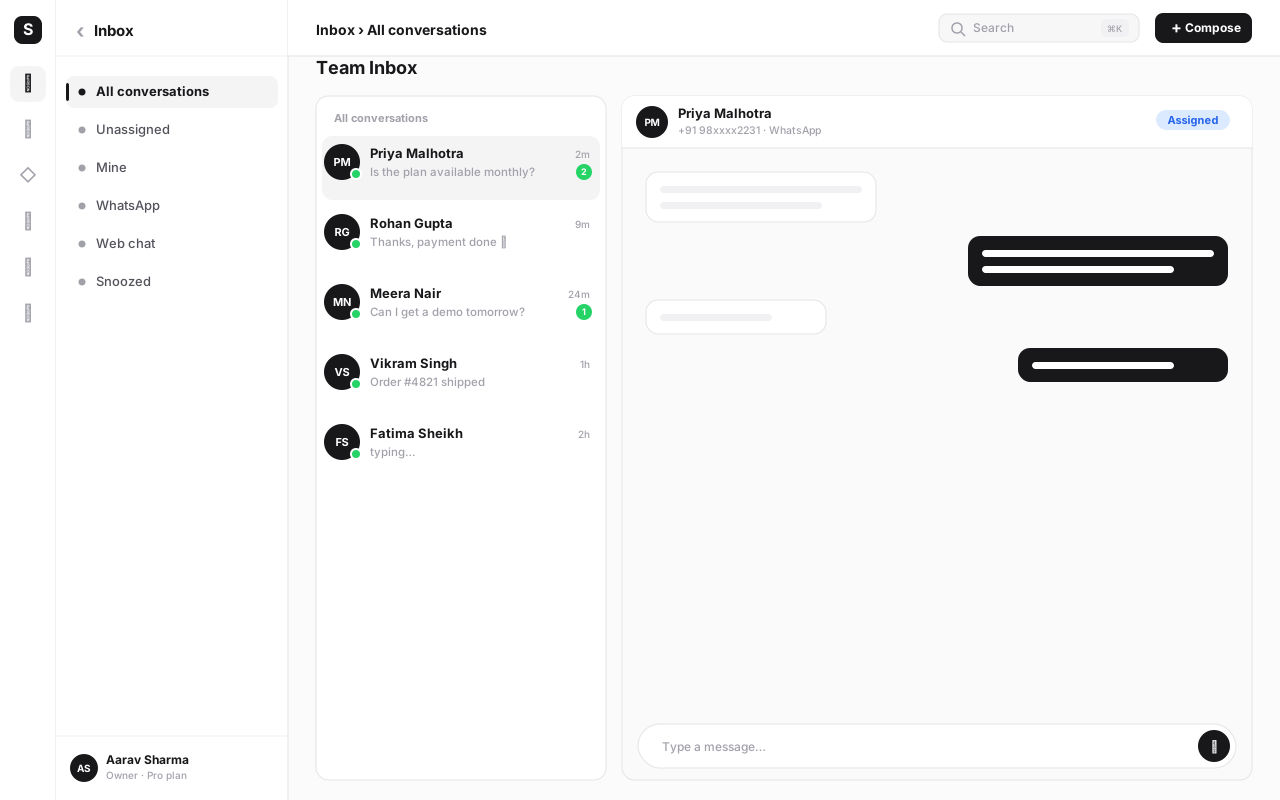
Shared inbox. Both give agents a queue of conversations with assignment and internal notes. WaChat's inbox is unified with SabChat, so the same queue an agent works from WhatsApp can also carry web live-chat conversations — one screen for both, rather than WhatsApp in one tool and website chat in another.
WhatsApp Ads and phone number management. WaChat also covers click-to-WhatsApp ad campaign tracking and multi-number management as native features, useful once a business runs more than one WhatsApp number across locations or brands.
None of these differences make Wati's WhatsApp feature set weak — they're close. The gap opens up in what each flow, broadcast or catalog conversation can do next once it needs to touch a pipeline, a call, or another channel.
Where the gap shows up: WhatsApp-only vs one platform#
The trade-off appears the moment a customer's journey touches more than WhatsApp — which, for most businesses, is almost immediately. A lead messages on WhatsApp, then calls to ask a follow-up question, then needs an SMS reminder about a payment, then gets a marketing email. In Wati, that's one channel doing its job well and three gaps where other tools would need to be bolted on separately. In WaChat, all four of those touchpoints attach to the same contact record automatically, because CRM, calling, SMS and email are modules of the same platform, not different products connected by a script.
This isn't a knock on Wati's WhatsApp feature depth — it's a structural difference in what the product is trying to be. Wati optimizes for being the best single-channel tool. SabNode optimizes for the whole customer relationship, of which WhatsApp is one (very important) channel.
No native CRM means bolted-on pipeline tracking. Wati's tagging and notes work for keeping conversations organized, but they aren't a pipeline. A sales team tracking deal stages, quote values and forecasts on top of Wati typically ends up connecting a separate CRM through Zapier — which means contact data lives in two places, has to be kept in sync, and costs an extra subscription plus connector fees.
No native calling means a second app for phone conversations. If your team also calls customers — a very common pairing with WhatsApp for Indian SMBs — Wati has nothing for it. You need a separate dialer or cloud calling system, and correlating "did we WhatsApp them, then call them?" becomes a manual, cross-tool exercise.
No native SMS means a third subscription for a channel WhatsApp doesn't fully replace. OTPs, delivery updates and customers without smartphone data still need SMS. Wati customers typically add a standalone SMS gateway, with its own DLT registration, its own contact list and its own suppression rules that don't talk to WhatsApp's opt-outs.
Connecting these tools costs money and breaks silently. Zapier-style connectors charge their own subscription, add latency, and fail quietly when a field changes on either side. Every connector is one more thing that can desync your customer data at the worst possible moment — usually right before a customer complains that "you people don't talk to each other."
Every extra tool is another login, another bill, another security surface. A team running Wati plus a CRM plus a dialer plus an SMS gateway is managing four vendors, four sets of credentials, four renewal dates and four data-processing agreements — for what a customer experiences as one relationship with your business. Each additional tool also means a new interface a new hire has to learn before they're productive, which adds up across a year of hiring far more than any single subscription line item.
Reporting stays fragmented too. Answering a basic question like "how many of last month's WhatsApp leads actually became paying customers?" is straightforward when the WhatsApp conversation and the deal live in the same system. Across Wati plus a separate CRM, it means exporting from one tool and manually matching records in the other — a task that's easy to skip, so the question quietly stops getting asked.
This is the core argument for evaluating scope up front rather than after you've already paid for and configured three separate tools. If your business will only ever need WhatsApp, the gap above never bites. If it will need a CRM, calling or SMS within the next year or two — and for most growing SMBs, it will — starting on a platform that already includes them avoids a migration you'll otherwise do anyway, later, under more pressure.
Pricing: what you're actually comparing#
Wati has historically run tiered monthly plans, commonly cited in the tens of dollars per month depending on the tier and number of agents, with Meta's own per-conversation charges billed as a separate line item on top — confirm Wati's current tiers and billing structure directly on wati.io, since API-platform pricing changes.
SabNode's tiers are transparent and published:
| Plan | Price | What you get |
|---|---|---|
| Starter | Free forever | 2 users, 1,000 contacts, 500 WhatsApp/SMS messages/mo, core features of every module |
| Growth (most popular) | ₹2,499/mo or ₹24,990/yr (~20% off) | 10 users, 50,000 contacts, 50,000 messages/mo any channel, ALL modules, priority support, audit log + Google SSO |
| Scale | ₹9,990/mo or ₹99,900/yr | Unlimited users, 500,000 contacts, 500k messages/mo with burst, SSO+SAML+SCIM, dedicated success manager |
| Enterprise | Custom | Unlimited everything, single-tenant + VPC, SOC 2 + ISO 27001, custom SLAs |
Overage on any plan is ₹0.10 per extra message and ₹0.05 per extra contact — you're never hard-blocked mid-campaign. See the full breakdown on the pricing page.
The honest math: if WhatsApp is genuinely your only channel and your volumes are low, Wati's entry tier can look cheaper standing alone. But the comparison that actually matters for most growing teams is Wati-plus-a-CRM-plus-a-dialer-plus-an-SMS-tool versus one SabNode bill — and in that comparison, the all-in-one platform usually wins on total cost well before you count the time saved not maintaining connectors.
Don't compare Wati's software fee to SabNode's software fee in isolation — compare Wati's software fee plus whatever else you'd need to buy (a CRM, a dialer, an SMS gateway, Zapier tasks) to SabNode's single bill. That's the number that actually determines your total cost of ownership over a year, not the sticker price of either tool's cheapest tier.
Who should pick which#
Choose Wati if: WhatsApp is genuinely the entire job, your team is small, you don't currently need a shared pipeline view of deals, you have no plans to add calling or SMS in the near term, and you specifically value a lean, single-purpose interface with nothing else competing for screen space.
Choose SabNode/WaChat if: you want the same WhatsApp broadcast, bot builder, catalog and shared inbox capability, but you also want that WhatsApp contact to already be a CRM record with a pipeline stage; you plan to call customers as well as message them; you need SMS for OTPs or customers without WhatsApp; or you simply don't want to manage — and pay for — a second, third and fourth tool as your channels grow.
Consider running both, briefly, if: you're mid-migration and want to validate WaChat's WhatsApp feature parity against your live Wati account before fully cutting over. That's a legitimate, temporary state — not a long-term strategy, since paying two software bills for the same job defeats the point of either choice.
Get the WhatsApp API you know, plus everything Wati doesn't do
WaChat gives you broadcast campaigns, a chatbot builder and a shared inbox — on the same platform as your CRM, calling and SMS. Start free on sabnode.com, no credit card required.
How to move from Wati to SabNode#
Switching WhatsApp Business API providers sounds riskier than it is. Your WABA and phone number are yours — Meta just needs to know which Business Solution Provider is serving them. Here's the sequence that keeps the move safe.
- Export your contacts and templates from Wati. Before touching anything else, pull a full export of your contact list, tags/notes, and the text of every approved message template. This is your source of truth for the rest of the migration.
- Re-verify your WABA number with Meta under WaChat. Start the standard Meta process to move API access for your existing number to WaChat as the new Business Solution Provider. This typically takes a few business days and does not require losing your green-tick verification or starting a new number.
- Recreate and resubmit your message templates. Enter your existing template text into WaChat and resubmit each for Meta approval. Straightforward templates (order confirmations, OTPs, simple marketing) are commonly approved within hours; keep Wati's copies handy as your reference text.
- Rebuild your chatbot flows in WaChat's flow builder. Recreate your Wati bot logic — the branching questions, catalog hooks and hand-off rules — in WaChat's visual builder. Use this as an opportunity to also wire flows into your new CRM, since that option didn't exist in Wati.
- Import chat history where possible. Bring over what conversation history Wati's export tools allow, so agents aren't starting from zero on active conversations during the switch.
- Run both platforms in parallel briefly. Keep Wati live in read-only/reference mode for a week or two while WaChat handles new conversations, so nothing falls through the cracks during cutover.
- Cut over and cancel Wati. Once WaChat is confirmed handling the WABA number cleanly — messages sending, templates approved, bot flows working — switch fully and cancel the Wati subscription. Set the cancellation date in advance so the migration doesn't quietly drag on.
Common mistakes when switching WhatsApp API providers#
Starting the Meta re-verification too late. Number re-verification isn't instant — it typically takes a few business days once submitted, and can occasionally take longer if Meta requests additional business verification. Kick it off as soon as you've decided to switch, not the week you planned to cut over, so you're not blocked waiting on Meta while your old plan's renewal date approaches.
Losing template history. Forgetting to export approved template text from the old platform means rewriting templates from memory and resubmitting blind, which risks rejections for wording that doesn't match what Meta already approved once. Export the exact approved copy first, always, and resubmit it near-verbatim.
Big-bang cutover with no parallel period. Turning Wati off the same day you turn WaChat on removes your safety net if something in the bot flow, template approval, or number routing isn't quite right yet. Run both briefly — a week or two — with WaChat handling live traffic and Wati kept in reference mode only.
Rebuilding bot flows as a literal copy instead of an upgrade. Recreating your Wati flow exactly, rather than taking the chance to connect it to a CRM pipeline or automation now that you have one, leaves value on the table. The migration is a natural moment to ask "what should this flow also do now that it can?"
Forgetting to notify your team of the new inbox. Agents who keep checking the old Wati inbox out of habit will miss new conversations arriving in WaChat — communicate the cutover date clearly, lock write-access to the old tool once you've switched, and make the new inbox the default tab in everyone's browser.
Not confirming current Wati pricing/terms before comparing. Quoting old numbers from memory instead of checking wati.io's current tiers can make either platform look artificially cheaper or more expensive than it really is today. Pull current numbers from both vendors' pricing pages on the day you decide, not from a screenshot someone saved months ago.
Underestimating catalog and Meta Flow rebuild time. If you have a large product catalog or complex Meta Flow forms built in Wati, budget real time to recreate them rather than assuming a one-click import — most catalog and flow builders don't export in a format another platform can directly ingest.
Not assigning a single migration owner. Splitting the cutover across several people with no one accountable for the whole sequence is how templates go unsubmitted, agents go unnotified, and the old subscription quietly auto-renews. Name one owner for the entire migration checklist.
Conclusion#
Wati and SabNode's WaChat module cover the same core ground on WhatsApp itself — broadcast campaigns, a chatbot builder, a shared inbox, a catalog — so if WhatsApp really is the entire job for your team today, Wati is a credible, focused choice built by people who understand the channel well. The decision changes the moment your customers also call you, need an SMS, or should land in a real sales pipeline, because Wati simply doesn't do those things natively — you'll be paying for and syncing separate tools to get there.
SabNode's bet is that most businesses don't want WhatsApp in isolation; they want one customer timeline that happens to include WhatsApp alongside calling, SMS, email and CRM. If that's closer to how your business actually runs, moving your WABA number over is a standard Meta re-verification, not a rebuild from scratch — see our WhatsApp Business API complete guide for the fundamentals, or compare more options in our Wati alternatives roundup.
Either way, don't choose on the WhatsApp feature list alone — choose on how many other tools you'd otherwise need to bolt on beside it. You can try WaChat's full WhatsApp toolkit, CRM, calling and SMS together at sabnode.com/signup with no credit card required.
Frequently asked questions
Is SabNode cheaper than Wati?
It depends how you count. Wati's own tiers (confirm current pricing on wati.io) have historically started in the tens of dollars per month for a single WhatsApp channel, with Meta's per-conversation charges billed separately on top. SabNode's Growth plan is ₹2,499/mo (₹24,990/yr) and includes WhatsApp broadcast, the chatbot builder and catalog PLUS CRM, calling, SMS and email for up to 10 users and 50,000 contacts. If you only ever need WhatsApp for one small team, Wati's entry tier may look cheaper in isolation. The moment you'd otherwise buy a second tool for CRM, calling or SMS, SabNode's all-in-one price usually wins on total cost.
Does Wati have a CRM?
Wati is WhatsApp-first. It has contact tagging, notes and a shared inbox for managing conversations, but it isn't a full CRM with pipelines, deal stages, custom objects and forecasting. Most Wati customers we've spoken with either live without one or connect a separate CRM through Zapier or a similar connector. SabNode includes SabCRM natively, so every WhatsApp contact is already a CRM record with a pipeline, not a separate database you have to sync.
Can I move my WhatsApp Business API number from Wati to SabNode?
Yes. Your WhatsApp Business Account (WABA) and phone number belong to you and Meta, not to Wati — any Meta Business Partner, including SabNode/WaChat, can take over API access for that number. You'll export your contacts and approved message templates from Wati, then go through Meta's standard number re-verification with WaChat as the new Business Solution Provider. Most numbers move without losing their green-tick verification or message history with Meta.
Does SabNode have a chatbot / flow builder like Wati?
Yes. WaChat includes a visual drag-and-drop chatbot and flow builder for building conversational journeys, collecting answers, branching on customer replies and handing off to a human agent — functionally in the same territory as Wati's bot builder. The difference is that a WaChat flow can also update a CRM record, trigger an SMS or email, or kick off a SabFlow automation, because it sits on the same platform as those modules instead of being isolated to WhatsApp alone.
Are Meta's WhatsApp conversation charges the same on SabNode and Wati?
Meta's conversation-based pricing is set by Meta, not by the platform you use — so the underlying per-conversation cost is the same wherever your WABA is hosted. What differs is what's bundled around it: check whether your platform's plan includes messages within its own quota (SabNode's plans include a monthly message allowance across WhatsApp, SMS and other channels combined, with pay-as-you-go overage) or charges Meta's fees fully on top of a flat software fee, which is historically how Wati has billed (confirm current terms on wati.io).
Is Wati good enough if I only need WhatsApp?
For a small team whose entire job is WhatsApp — broadcast, a bot, a shared inbox, a catalog — Wati is a genuinely solid, focused choice, and its India roots mean it understands local WhatsApp Business use cases well. The trade-off shows up the moment you need that WhatsApp data to talk to a CRM, a dialer or an SMS campaign: you'll be stitching tools together with connectors. If WhatsApp really is the whole job today, Wati can do it well; if you expect to add channels later, starting on a platform that already has them saves a migration down the line.
What happens to my WhatsApp message templates when I switch platforms?
Approved message templates are tied to your WABA inside Meta's system, but the platform-side copies live in whichever tool created them, so you'll typically recreate template text in the new platform and resubmit for Meta approval — most straightforward templates (order updates, OTPs, simple marketing) get approved within hours. Exporting your existing approved template list from Wati before you switch makes this a copy-paste exercise rather than a rewrite from scratch.