Looking for a Free Wati Alternative? Start Here
Most 'Wati alternatives' still charge from day one. SabNode's WaChat has a real free tier, plus the CRM, calling and automation Wati doesn't include.
Most searches for a "Wati alternative" are really searches for a WhatsApp Business API tool that stays free (or cheap) as you actually use it, rather than one that looks free in the ad and starts billing the moment you send a real campaign. SabNode's WaChat module is built to answer that search directly: a genuinely free forever Starter plan with real broadcast, chatbot and shared-inbox features, plus a CRM, calling and SMS bundled into the same login at no extra cost to start. This guide walks through why people go looking for alternatives in the first place, what to actually check before picking one, and where WaChat — and other named options like AiSensy, DoubleTick and Interakt — fit into that decision.
Why people go looking for a Wati alternative#
Nobody starts shopping for a "Wati alternative" out of idle curiosity — it's almost always triggered by one of three specific frustrations showing up in practice.
Cost that grows faster than expected as usage scales. A WhatsApp API tool that looked affordable with two agents and a small contact list can get expensive quickly once you add agents, cross a message-volume tier, or start running bigger broadcast campaigns. Per-agent pricing in particular has a way of compounding: a support team that grows from 3 to 8 people isn't just paying more messages, it's paying for every seat, every month, on top of Meta's own conversation charges. By the time a business is actively searching for an alternative, the trigger is usually a renewal invoice that came in higher than budgeted.
Wanting a CRM and calling bundled in, not bolted on. A WhatsApp-only tool treats every conversation as a chat thread. A tag and a note might tell you who messaged, but they don't track what deal stage they're in, what they're worth, or whether someone already called them about it. Businesses that start with WhatsApp-only tools frequently discover, six months in, that their "CRM" is a spreadsheet someone maintains by hand next to the WhatsApp inbox — and that's the moment the search for something more complete begins.
Wanting automation that reaches past WhatsApp. A chatbot flow that can only send a WhatsApp reply is useful, but a flow that can also update a CRM stage, fire off an SMS reminder, or kick off a broader automation sequence is a different order of useful. Teams that have outgrown "WhatsApp bot that replies to FAQs" and want "one system that runs the whole follow-up sequence across channels" are, structurally, looking for a platform rather than a point tool — even if they still describe the search as "a Wati alternative."
There's a quieter fourth reason too: support that doesn't keep pace once you're a real customer, not a trial account. WhatsApp downtime during an active broadcast or a stalled bot flow is a business-critical problem, not a minor annoyance — and teams searching for alternatives often mention that response times got noticeably slower once the free trial ended and the invoices started. That's worth testing directly rather than taking on faith: send a real support question during any trial period and time how long the answer takes, because that response time rarely improves once you're a paying, "locked in" customer.
None of this is a criticism of Wati's WhatsApp feature depth specifically. It's a description of what happens as a business's needs outgrow a single-channel tool, whichever single-channel tool it happens to be — and the same pattern shows up whether the tool in question is Wati, AiSensy, DoubleTick, Interakt, or any other WhatsApp-first platform. The channel gets mastered; everything around the channel is what eventually forces a decision.
Wati, AiSensy, DoubleTick and Interakt are all legitimate, actively developed WhatsApp Business API platforms with real customers who are happy with them. This article is a buyer's-guide to evaluating alternatives generally, not a claim that any one of them is bad. If you want a detailed, fair, feature-by-feature comparison against Wati specifically, see our dedicated SabNode vs Wati comparison.
The checklist: what to evaluate in any WhatsApp API alternative#
Before comparing named products, it's worth having a fixed checklist — because every WhatsApp API tool's marketing page reads roughly the same ("broadcast! bots! catalog! free trial!") and the differences only show up once you dig past the headline.
| What to check | Why it matters | How to verify it |
|---|---|---|
| Genuine Meta-verified Business Solution Provider status | Determines whether the tool can actually apply for and manage your WABA directly, or routes through a middle layer | Ask the vendor directly, or check Meta's Business Partner directory |
| Broadcast sending limits | A cap that looks generous on the pricing page can be exhausted by one real campaign to an active list | Check the exact monthly message count on the plan you'd actually use, not the headline number |
| Chatbot / flow builder depth | Simple keyword-reply bots are very different from a real branching flow builder with conditional logic and hand-off rules | Ask for a live demo of a multi-step flow, not a screenshot |
| Catalog / commerce support | Selling through WhatsApp needs product catalog sync, cart-style messages, and ideally Meta Flows support | Confirm catalog size limits and whether it syncs with an existing product list or requires manual entry |
| Does the conversation log to a real CRM record? | The single most commonly overlooked check — without this, sales teams re-enter leads by hand | Ask: "when a new contact messages, is a CRM record with pipeline stage created automatically, or just a chat thread?" |
| Support responsiveness | WhatsApp downtime during a campaign is a business-critical issue, not a nice-to-have fix | Test the support channel before you buy — send a real question during your trial and time the response |
| Hidden costs beyond the software fee | Meta's per-conversation charges apply everywhere, but how a vendor bundles or exposes them varies a lot | Ask for a worked example invoice at your expected volume, not just the sticker price |
The CRM-logging question deserves its own callout, because it's the one most buyers skip during a demo and regret months later.
Before you sign up for any WhatsApp API tool, ask this exact question: "When someone messages us for the first time, does that automatically become a CRM contact with a pipeline stage — or does it just create a chat thread with a tag?" If the honest answer is "just a chat thread," budget for either building or buying a CRM integration later, because that gap doesn't close itself as you grow.
Two more items are easy to skip during a sales demo but expensive to discover after you've committed. The first is genuine Meta Business Solution Provider status — most established WhatsApp API vendors do hold this directly, but reseller or white-label arrangements sometimes add an extra layer between you and Meta, which can slow down template approvals or number changes later. Ask the vendor plainly whether they're your direct Business Solution Provider or whether they're reselling access from someone else. The second is what happens to your data if you ever leave — a full contact and conversation export shouldn't be a premium feature or a support ticket you have to fight for; it should be a button in settings, because a tool that makes it hard to leave is telling you something about how it expects to keep you.
Where AiSensy, DoubleTick and Interakt fit#
If you're building a shortlist, AiSensy, DoubleTick and Interakt are all names worth including alongside Wati and SabNode. All three are established, India-active WhatsApp Business Solution Providers with real customer bases, and each has areas it emphasizes differently — some lean harder into e-commerce catalog features, some into agency/reseller pricing models, some into a leaner support-desk-style inbox. Pricing and feature sets across all of them change often enough that quoting specific numbers here would go stale fast, so treat any figure you see for them (including ones in older articles) as a starting point to reconfirm directly on each vendor's own pricing page before you decide.
Rather than trying to rank every one of these tools inside a single broad article — which tends to flatten real differences into unfair one-line summaries — we keep dedicated, detailed comparisons for specific matchups. If you want the deep version, see SabNode vs Wati for a full side-by-side, and DoubleTick vs Wati if that's the specific pair you're deciding between. This article's job is the broader buyer's-guide question — what to evaluate, and where a genuinely free, CRM-native option like WaChat fits into that decision — not a shootout between every named competitor.
If you're actively shortlisting, a reasonable process looks like this: run the checklist above against Wati, AiSensy, DoubleTick and Interakt using each vendor's current pricing page (not a cached memory of what they charged last year), request a live demo of the chatbot builder rather than trusting a marketing screenshot, and ask each one the CRM-logging question from the callout above word-for-word. The answers will differ more than the marketing pages suggest, and that gap is exactly what you're trying to surface before you commit a year of contact data to one platform.
WaChat: the alternative with a genuinely free tier and a CRM already attached#
Here's where SabNode's WaChat module answers the search differently from most results you'll find. Instead of a time-limited trial, WaChat's Starter plan is free forever: 2 users, 1,000 contacts, and 500 WhatsApp/SMS messages a month, with the real broadcast tool, the visual chatbot/flow builder, the product catalog and the shared team inbox — not a cut-down demo missing the features that matter.
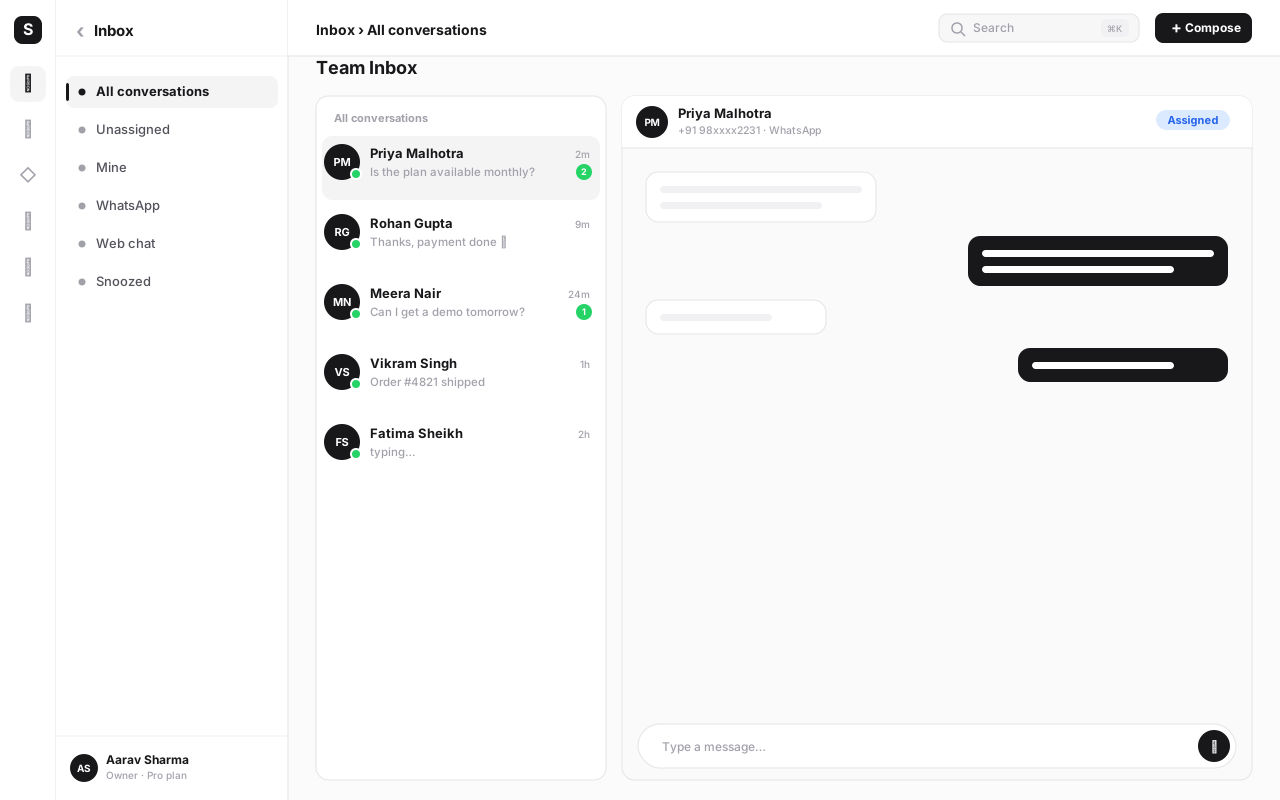
What makes this meaningfully different from "another free WhatsApp tool," though, is what's sitting underneath it. Because WaChat is a module of the same SabNode platform as SabCRM, SabCall, SabSMS, SabMail and SabFlow, a WhatsApp conversation on the free Starter plan is already a CRM contact — not a chat thread you'd have to re-enter into a CRM later. That's the exact gap the evaluation checklist above calls out, solved by default rather than sold as an upsell.
Run WaChat through the same checklist you'd apply to anything else on your shortlist: WaChat is built and operated as a genuine Meta Business Solution Provider, so onboarding a WABA number goes through Meta directly rather than a reseller layer. The broadcast limit on Starter (500 messages/mo shared across WhatsApp and SMS) is honest about being a small-team ceiling rather than a padded number designed to look generous and then force an upgrade the moment you run a real campaign. The chatbot/flow builder is the same visual, branching tool available on every paid tier — nothing is held back to Growth or Scale — and it can write to a CRM field or trigger an SMS from the very first flow you build, because those modules are already switched on, not gated behind a plan upgrade. That combination — free, honest about its limits, and structurally connected to the rest of the customer record — is the specific gap this article's checklist was built to surface.
| Plan | Price | What's included |
|---|---|---|
| Starter | Free forever | 2 users, 1,000 contacts, 500 WhatsApp/SMS messages/mo — WaChat's broadcast, chatbot builder, catalog and shared inbox, plus core CRM, calling and SMS, community Slack support |
| Growth (most popular) | ₹2,499/mo or ₹24,990/yr (~20% off) | 10 users, 50,000 contacts, 50,000 messages/mo across any channel, ALL modules and features, priority support, audit log + Google SSO, bring-your-own-key AI |
| Scale | ₹9,990/mo or ₹99,900/yr | Unlimited users, 500,000 contacts, 500k messages/mo burst, SSO+SAML+SCIM, region pinning, dedicated success manager, data warehouse export, sandbox workspace |
| Enterprise | Custom pricing | Talk to sales for volume, compliance and deployment needs beyond Scale |
The Starter plan isn't a bait-and-switch trial — there's no credit card at signup and no countdown clock forcing an upgrade decision before you've had a real chance to use it. You do reach real limits eventually (1,000 contacts and 500 messages a month is genuinely a small-team ceiling), and when you do, Growth is a fixed, published ₹2,499/mo rather than a custom quote you have to negotiate for.
Try the Wati alternative with a real free plan
WaChat gives you WhatsApp broadcast, a chatbot builder, a shared inbox and a product catalog — free forever on Starter, with CRM, calling and SMS already included. No credit card required.
How to switch to a Wati alternative#
Moving your WhatsApp Business API off any current provider — Wati or otherwise — is a well-worn process, not a leap into the unknown. Here's the sequence that keeps it low-risk.
- Export your contacts and message templates from your current tool. Pull a complete export of your contact list, any tags or notes, and the exact text of every approved message template before you touch anything else — this becomes your reference for the rest of the move.
- Re-verify your WABA phone number with Meta under the new provider. Your WhatsApp Business Account and number belong to you and Meta, not your current software vendor. Any Meta-verified Business Solution Provider — including WaChat — can take over API access through Meta's standard re-verification, which typically completes in a few business days and does not reset your green-tick status.
- Rebuild your key chatbot flows in the new builder. Recreate your most important bot logic — the branching questions, catalog hooks and human hand-off rules — rather than trying to import it automatically, since flow logic rarely transfers cleanly between different builders. Use the rebuild as a chance to also wire the flow into a CRM stage update, if your old tool couldn't do that.
- Import whatever conversation history your old tool allows. Bring over as much chat history as the export tools support so agents aren't starting cold on active conversations the day you switch.
- Run both platforms in parallel for a short window. Keep the old tool live in a read-only or reference-only mode for a week or two while the new platform handles new conversations, so nothing gets dropped mid-migration.
- Cut over fully and cancel the old subscription. Once the new platform is confirmed handling the WABA number cleanly — messages sending, templates approved, flows working, agents trained — switch entirely and set a firm cancellation date so the old tool doesn't quietly keep billing in the background.
Number re-verification with Meta isn't instant, and it's the one step in this whole process you don't fully control the timeline on. Kick it off the moment you've decided to switch — not the week you'd planned to cut over — so you're never stuck waiting on Meta with a deadline already passed.
Common mistakes when choosing a "free" WhatsApp tool#
Not checking whether "free" means forever or just a countdown trial. A 14-day free trial and a free-forever Starter plan get marketed with nearly identical language. Read the actual terms — does the plan expire, or does it just cap usage? — before you build a workflow around it.
Ignoring Meta's own conversation charges. Meta bills certain WhatsApp conversation categories directly, separate from whatever the software platform charges. These charges apply no matter which vendor you pick, so budget for them explicitly rather than assuming "free plan" means zero cost end to end.
Picking a plan with a broadcast cap that forces an upgrade within your first real campaign. A generous-looking message allowance can evaporate the first time you send an actual promotional broadcast to an active list — check the number against a realistic campaign size, not against your current low-volume testing.
Assuming a shared inbox is the same thing as a CRM. Tags and notes on a chat thread feel organized right up until a sales team needs to track deal stage, value and forecast — none of which a chat inbox alone can do. If that's on your roadmap at all, check for it before you commit, not after.
Underestimating the cost of connecting a separate CRM later. A WhatsApp-only tool without native CRM integration usually gets bolted to one through a connector like Zapier — which is its own subscription, adds latency, and quietly breaks when a field changes on either side. That ongoing cost rarely shows up in the initial "cheap and free" comparison.
Not budgeting for growth past the free tier. A free plan sized for a two-person team will get outgrown. Look at the next paid tier's price and limits now, while you're comparing calmly, rather than discovering them for the first time during an urgent upgrade.
Conclusion#
The honest answer to "what's a good free Wati alternative" isn't a single feature checklist — it's making sure whatever you pick actually stays affordable as you grow, and doesn't leave your WhatsApp conversations stranded in a chat thread that never becomes a real customer record. Wati, AiSensy, DoubleTick and Interakt are all legitimate options worth putting on a shortlist for teams whose whole job is WhatsApp; for a deeper look at how one of those specifically compares, see our SabNode vs Wati breakdown.
SabNode's WaChat takes a different bet: a genuinely free forever Starter plan with real broadcast, chatbot and inbox tools, built on a platform where a WhatsApp contact is already a CRM record with calling and SMS attached, not a separate purchase down the line. If that matches how your business is actually structured — or where you expect it to be in a year — it's worth trying before you commit budget elsewhere. Read the WhatsApp Business API complete guide for the fundamentals of the API itself, or go straight to sabnode.com/signup and start on Starter with no credit card required.
Frequently asked questions
What is the best free Wati alternative?
SabNode's WaChat is one of the few WhatsApp Business API platforms with a genuinely free forever tier rather than a time-limited trial. The Starter plan gives 2 users, 1,000 contacts and 500 WhatsApp/SMS messages a month, and it isn't a stripped-down demo — you get the real broadcast tool, the visual chatbot/flow builder, the product catalog and the shared team inbox, plus a CRM, calling and SMS built into the same login. Other tools worth evaluating alongside it include AiSensy, DoubleTick and Interakt, each with its own free or low-cost entry tier and its own trade-offs — check their current pricing directly since these change often.
Is there a truly free WhatsApp Business API tool?
A handful of platforms, including SabNode/WaChat, offer a genuinely free forever plan rather than just a 7- or 14-day trial. What's worth checking on any 'free' claim is whether it's actually free forever or a trial with a countdown, whether it caps broadcast volume so low you'll be forced to upgrade within your first campaign, and whether Meta's own per-conversation charges are billed separately once you go past Meta's free conversation tier — those charges come from Meta directly and apply no matter which software platform you use.
Why do businesses look for an alternative to Wati?
The most common reasons are cost as usage scales (per-agent or per-conversation add-ons that grow faster than expected), wanting a real CRM instead of tags and notes so a WhatsApp lead becomes a tracked deal, and wanting automation that reaches beyond WhatsApp into calling, SMS or email without stitching together a Zapier connector. None of these are knocks on Wati's WhatsApp feature set specifically — they're about what sits (or doesn't sit) around it.
Does a Wati alternative need to include a CRM?
It doesn't need to, but it's worth deciding upfront rather than discovering the gap later. If a WhatsApp conversation doesn't log to a real CRM record — a contact with a pipeline stage, deal value and history, not just a chat thread with a tag — your sales team will end up re-entering that same lead into a separate CRM by hand. That duplicate work is one of the most common regrets teams report after switching to a 'WhatsApp-only' alternative that looked cheaper on paper.
How hard is it to switch my WhatsApp number away from Wati?
Less disruptive than most teams expect. Your WhatsApp Business Account (WABA) and phone number belong to you and Meta, not to Wati or any other software vendor — any Meta-verified Business Solution Provider can take over API access for that number through Meta's standard re-verification process. You keep your green-tick status and message history; you do need to re-submit your message templates for approval and rebuild your chatbot flows in the new tool.
Are AiSensy, DoubleTick and Interakt good Wati alternatives too?
Yes — they're all legitimate, India-active WhatsApp Business API platforms worth putting on your shortlist, each with different pricing structures and areas of focus. We keep dedicated, detailed comparisons for some of these matchups (see our SabNode vs Wati and DoubleTick vs Wati guides) rather than trying to rank every tool inside one article, since a fair comparison needs to go deep on each one's specific limits and current pricing.
Will I lose my Meta green-tick verification if I switch platforms?
No — the green-tick (Meta's official Business verification) is tied to your Business Manager and phone number, not to the software platform managing your API access. Moving your WABA to a new Business Solution Provider is a standard re-verification step, not a fresh application, and it does not reset your verification status.