Click-to-WhatsApp Ads: Turn Facebook and Instagram Clicks Into Chats
A click-to-WhatsApp ad skips the landing page entirely — the click opens a real conversation. Here's how to run one and actually measure what it's worth.
A click-to-WhatsApp ad (CTWA) is a normal Facebook or Instagram ad — image, video or carousel — that swaps the usual "Learn More" or "Shop Now" button for "Send Message," so a single tap opens a real WhatsApp conversation with your business instead of a landing page. The ad still runs and is billed inside Meta Ads Manager exactly like any other campaign; only the destination changes. A click ID Meta attaches to the tap (commonly called ctwa_clid) lets a WhatsApp platform tie the resulting conversation — and any sale it leads to — back to the exact ad that started it.
That last part is the whole game. Plenty of businesses already run click-to-WhatsApp ads without realizing it, because Meta nudges advertisers toward "Send Message" destinations by default in some campaign flows. Far fewer businesses actually know which ads are producing conversations that turn into revenue, because that requires a platform on the other end that captures the click ID, logs the conversation, and reports the outcome back. This guide covers both halves: how to build a click-to-WhatsApp ad and opening message that convert, and how to wire up the attribution and measurement so you're not just guessing at what's working.
What makes a click-to-WhatsApp ad different from a normal traffic or lead ad#
Every Facebook or Instagram ad you've ever run has the same three ingredients: creative (image, video, carousel), targeting, and a destination. Traffic ads send the click to a website. Lead ads open an in-app form. Click-to-WhatsApp ads send the click into a WhatsApp conversation. The creative and targeting side of ad-building doesn't change at all — you're still in Meta Ads Manager, still setting a budget, still choosing an objective and an audience. The only structural difference is what happens the instant someone taps.
That single difference changes everything downstream, though, because a landing page and a lead form are both one-way. The customer either fills something in or bounces, and you find out how they felt about it only by inference — time on page, scroll depth, form abandonment. A WhatsApp conversation is two-way and immediate. The customer can ask "is this available in blue?" or "what's the EMI option?" right there, in real time, and you can answer before they've had a chance to lose interest and close the tab. For anything with a real decision behind it — a property, a course, a service booking, a considered purchase — that back-and-forth is worth more than a dozen landing-page trust badges.
| Aspect | Traffic ad → website | Lead-gen ad → in-app form | Click-to-WhatsApp ad → chat |
|---|---|---|---|
| What the click opens | Your website or landing page | A Facebook/Instagram native form | A live WhatsApp conversation |
| Interaction type | One-way (browse, maybe convert) | One-way (fill and submit) | Two-way, real-time |
| Follow-up speed | Depends on your own CRM/alerts | Manual callback, often hours later | Can start replying within minutes |
| Qualification | Requires page copy/forms to do the work | Fixed form fields only | Conversational — ask what you actually need to know |
| Where the lead "lives" after | Your website analytics + CRM export | Meta Lead Ads inbox / CRM sync | The same WhatsApp thread, indefinitely |
| Cost structure | Standard Meta ad billing | Standard Meta ad billing | Standard Meta ad billing + WhatsApp conversation costs after the reply |
Nothing about setting up the ad itself is WhatsApp-specific. You build it in Meta Ads Manager, choose an objective that supports the WhatsApp destination (commonly grouped under engagement/messages objectives), pick your creative and audience as usual, and select WhatsApp as where clicks land. Meta's exact objective names and campaign-setup flow shift periodically, so confirm the current click-to-WhatsApp mechanics in Meta Ads Manager before you launch if it's been a while since you last set one up.
The attribution mechanic: how a click becomes a trackable conversation#
Here's the problem CTWA attribution solves. Without it, a WhatsApp conversation that opens from an ad looks identical, on your end, to a conversation that started because someone saved your number and typed "Hi" out of nowhere. Both just show up as a new chat. If you can't tell which ad — or whether an ad at all — caused a given conversation, you can't tell which campaigns are actually working, and "click-to-WhatsApp" degrades into "we get some chats, somehow."
Meta solves this with a click identifier, generally referred to as ctwa_clid, which gets attached to the click when someone taps your ad's "Send Message" button. When the WhatsApp Business API receives the resulting message, that click ID is carried along with it in the message payload. A platform that's integrated as a WhatsApp Business Solution Provider (BSP) — which is what SabNode WaChat is — can read that ID off the incoming message, log it against the conversation, and use it two ways: to show your team which ad/campaign a given lead came from right inside the inbox, and to send conversion events back to Meta so its ad-delivery algorithm learns which audiences and creatives are actually producing outcomes, not just clicks.
Two things follow from how this mechanic works. First, attribution only holds together end to end if the same platform (or an integrated pair) handles both the ad click and the WhatsApp conversation — if your ads run through one agency and your WhatsApp API sits with an unrelated tool that never reads ctwa_clid, you'll get chats but no attribution, and you'll be reporting on volume instead of source. Second, because the conversion signal flows back to Meta, better attribution genuinely improves ad delivery over time: feed Meta real "this conversation became a sale" events and its algorithm gets better at finding more people who'll do the same, the same way pixel-based conversion optimization works for websites.
Meta periodically adjusts campaign-setup flows, objective names, and exactly how click IDs and conversion events are exchanged with BSPs. The underlying idea — a click ID ties the ad to the conversation — has held steady, but always confirm the current step-by-step mechanics in Meta Ads Manager and with your WhatsApp Business API platform before running a new campaign, especially if you haven't touched CTWA in a while.
Structuring the ad creative and opening message for a strong first impression#
A click-to-WhatsApp ad has to do a slightly different job than a landing-page ad. A landing page can carry the whole pitch — headline, images, testimonials, pricing, form. A CTWA ad's creative only has to do enough to earn the tap; the actual selling happens in the conversation that follows. Overloading the ad with every detail is wasted effort, and it can also mismatch what the customer expects from the chat, which shows up as "meh" replies instead of real engagement.
Think of the ad and the opening message as one continuous handoff, written together, not separately:
- The ad creative sets the topic, not the whole pitch. One clear product, offer or use case, one strong image or short video, and a CTA button that says "Send Message" so there's no ambiguity about what tapping does.
- The pre-filled starter message should match the ad exactly. If the ad is for a 2BHK apartment listing, the pre-filled message should say something like "Hi, I'm interested in the 2BHK listing in [area]" — not a generic "Hi, I have a question." Specificity here is what makes the first reply feel instant and relevant instead of like the customer has to re-explain themselves.
- Your business's first reply should acknowledge the exact thing they clicked on, then ask one clarifying question rather than dumping a wall of text. "Thanks for your interest in the 2BHK in Whitefield — are you looking to move in this month or later in the year?" does more work than a full brochure pasted into chat.
- Keep the opening exchange short. The best first impressions in CTWA read like a helpful human replied fast, not like a script fired. Even when it is automated (a chatbot or WhatsApp Flow), short and specific beats long and generic.
The other structural choice is format. Carousels work well when you're showing a small set of specific options (a few property listings, a few course batches, a few product variants) because each card can carry its own pre-filled message tied to that specific option — someone tapping the "3BHK" card starts a conversation that already says "3BHK," not "2BHK." Single image or video ads work better for a single offer, a seasonal promotion, or a service category where the conversation itself will do the narrowing down.
The single most common CTWA mistake is treating ad creative and chat opening as two separate jobs done by two separate people at two separate times. Write the ad headline, the pre-filled message, and your team's first reply as one script before the campaign goes live, so there's zero mismatch between what was promised and what shows up in the chat.
Qualifying and converting the lead once the chat opens#
This is where click-to-WhatsApp ads earn their advantage over every other paid channel: the sales conversation and the ad click happen in the same thread, with no separate landing page or CRM hop in between. But that advantage only shows up if you actually use WhatsApp's tools to qualify and convert inside the chat, rather than treating it as just a fancier contact form that still ends in "someone will call you back."
| WhatsApp tool | Role in the CTWA conversation | Best used for |
|---|---|---|
| Message templates | Structured follow-ups outside the 24-hour window (reminders, updates) | Re-engaging a lead who went quiet, sending a scheduled follow-up |
| Product catalog | Shows items/services directly in-chat with images, price and description | D2C retail, real estate listings, course catalogs |
| WhatsApp Flows | A structured in-chat form (multi-step, native UI) for qualifying details | Booking a site visit, collecting budget/city/timeline, appointment scheduling |
| Chatbot / flow builder | Automated first response, qualifying questions, routing logic | High volume of similar enquiries at any hour, before human handoff |
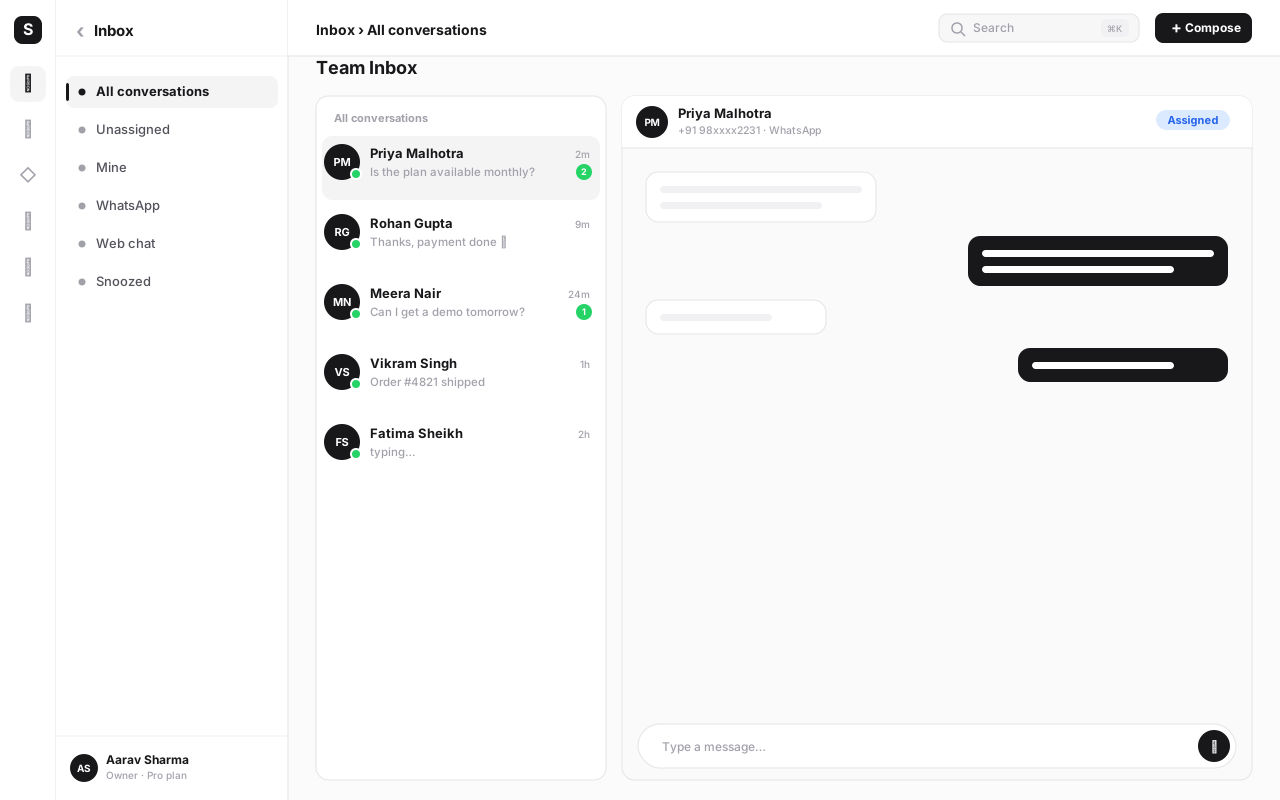
| Shared team inbox | Human agent takes over once a lead is qualified or asks something nuanced | Closing, negotiation, anything requiring judgment |
The pattern that works best in practice is a handoff chain, not any single tool doing everything. A chatbot or WhatsApp Flow greets the customer instantly (important, since response speed is the biggest driver of whether a CTWA lead stays warm), asks the one or two qualifying questions that matter for your business (budget range, city, product category, timeline), and shows the catalog or relevant template if that answers the question outright. The moment the conversation needs judgment — negotiating a price, answering something unusual, closing a sale — it hands off to a human agent in the shared team inbox, with the full conversation history and the ad/campaign source already visible so the agent isn't starting cold.
Two failure modes sit on either side of this pattern, and both cost you leads. Pure automation with no human handoff frustrates anyone with a slightly unusual question and never actually closes anything — a bot is great at triage, poor at judgment calls. Pure human handling with no automation means leads sit unanswered outside business hours or when your team's busy, and CTWA leads go cold fast because the person is mid-scroll on Instagram, not planning to wait around. Combining both — instant automated qualification, then a human for the close — is what turns "we get a lot of WhatsApp chats" into "we get a lot of WhatsApp sales."
For anything with a handful of fixed fields to collect — property budget and city, appointment date and service type, course batch and background — a WhatsApp Flow's native in-chat form collects them faster and more reliably than typing back and forth, and it feeds cleanly into your CRM. Save free-text conversation for the questions that actually need a real answer.
Which industries see the best results with click-to-WhatsApp ads#
CTWA isn't equally strong everywhere. It performs best where the buyer genuinely has questions before they'll commit, and where a real-time conversation resolves those questions faster than reading more copy on a page would. It performs worst where the purchase is impulse-driven, low-consideration, and best served by a one-click checkout — forcing a chat into that flow just adds friction.
In practice, four categories consistently show up as the strongest performers:
- Real estate and property. Buyers have dozens of specific questions — budget, possession date, floor plan, site visit availability — that a chat resolves in minutes and a brochure page can't.
- Education and coaching. Course enquiries are naturally conversational: batch timing, fee structure, curriculum detail, and "will this actually help me get X outcome" are all better answered in dialogue.
- Local services. Salons, clinics, home repair, tutoring, fitness studios — anything booking-based benefits from instant back-and-forth on availability and price before the customer commits.
- D2C retail with a catalog. Fashion, electronics, home goods — showing the actual catalog in-chat, answering "does this come in size L" or "is this in stock," replicates the in-store sales assistant experience that pure e-commerce checkouts lack.
Categories that tend to underperform relative to a well-optimized checkout flow include low-price, high-volume impulse purchases (a ₹99 add-on item) and anything where the customer explicitly wants to self-serve without talking to anyone — there, a fast website checkout usually beats adding a chat step.
How to set up your first click-to-WhatsApp ad#
- Connect your WhatsApp Business API number to a BSP platform first. Attribution depends on the platform reading
ctwa_clidoff incoming messages, so this has to exist before you run the ad, not after. In SabNode, that's your WaChat number and inbox already live. - Pick one specific offer, product or use case for the ad. Resist the urge to advertise "everything we do." A single 2BHK listing, a single course batch, a single service category — specificity is what makes the pre-filled message and your first reply feel relevant.
- Build the creative in Meta Ads Manager with a "Send Message" destination. Choose an image, video or carousel, select WhatsApp as the click destination, and confirm the current setup flow in Ads Manager since Meta periodically adjusts campaign objective naming.
- Write the pre-filled starter message to match the ad exactly. It should read like a natural first message from a real customer interested in exactly what the ad showed — not a generic greeting.
- Script your first reply (or bot flow) before launch. Acknowledge the specific ad, ask one qualifying question, and decide upfront whether a human or an automated flow answers first.
- Set up the qualifying path — Flow, catalog or a short question sequence. Decide what one or two pieces of information you need before you can meaningfully help this lead (budget, city, timeline, product interest) and build that into the conversation, not a separate form.
- Define the handoff point to a human agent. Agree on what "qualified enough to hand off" means for your team, and route it into the shared team inbox with the ad source attached.
- Set a budget and audience, and launch. Start with a modest daily budget and a reasonably narrow audience so you can read early results — cost per conversation, reply rate, qualification rate — before scaling spend.
- Watch the first batch of real conversations closely. Read the actual chats, not just the dashboard numbers, for the first day or two. This is where you catch a pre-filled message that doesn't match the ad, or a first reply that's too slow or too generic.
- Feed conversions back and iterate. Log which conversations became qualified leads and which became sales, tie that back to the ad/campaign via the click ID, and double down on what's converting — pause or rework what's producing chats that go nowhere.
The most common early mistake is turning the ad on before deciding who answers, how fast, and with what opening message. A great ad with a slow or generic reply wastes the exact advantage CTWA is supposed to give you — immediacy. Have the reply script, the qualifying questions and the handoff rule locked in before spend starts.
Measuring ROI: cost per conversation and conversion rate#
"We got 400 messages from the campaign" is not a result — it's a step in the funnel. The number that actually tells you whether a click-to-WhatsApp campaign is worth the spend is what happens after the conversation opens, and getting there requires tracking three linked metrics rather than one headline figure.
| Metric | How to calculate it | What it tells you |
|---|---|---|
| Cost per conversation | Ad spend ÷ conversations started | What you're paying just to get someone into a chat — your top-of-funnel efficiency |
| Qualification rate | Qualified leads ÷ conversations started | How well your opening message and qualifying flow filter genuine interest from window-shoppers |
| Conversation-to-sale rate | Sales ÷ qualified leads (or ÷ all conversations, for a stricter view) | How effectively your team or bot actually closes once someone's engaged |
| Blended cost per acquisition | Total ad spend ÷ total sales from the campaign | The number you compare directly against your other paid channels |
Multiplying through the funnel is what makes CTWA comparable to any other channel you run. If cost per conversation is low but conversation-to-sale is near zero, the problem isn't the ad — it's the qualifying flow or the follow-up speed. If cost per conversation is high but conversion once qualified is strong, you likely have a targeting or creative problem worth testing against, not a chat-quality problem. Without ctwa_clid attribution tying each stage back to the originating ad, you can't tell which of these is true for which campaign, and you end up making budget decisions on gut feel instead of the funnel.
Run click-to-WhatsApp ads with attribution built in
SabNode WaChat connects your WhatsApp Business API number, catalog, Flows and chatbot to Meta's click-to-WhatsApp ads with click-ID attribution, so every conversation — and every sale — traces back to the ad that created it.
Common mistakes that waste click-to-WhatsApp ad spend#
- Advertising too broad an offer. "Check out our store" ads produce vague, low-intent chats. A specific product, listing or course converts because the pre-filled message and reply can be specific too.
- Letting the pre-filled message and the ad mismatch. If the ad shows a 3BHK and the starter message just says "Hi," you've thrown away the context the customer already gave you.
- Slow first replies. CTWA's whole advantage is immediacy — a reply that takes hours undoes it, and the lead has usually moved on to a competitor's ad by then.
- No qualifying step before handoff. Sending every single chat straight to a human agent without any filtering wastes agent time on window-shoppers and delays replies to genuinely ready buyers.
- Automating everything, with no path to a human. A bot that can't escalate frustrates anyone with an unusual question and quietly loses leads that a two-minute human reply would have closed.
- Not capturing ctwa_clid at all. Running CTWA through a WhatsApp setup that never reads the click ID means you get chats but no attribution — you can't tell which ads are actually worth the spend.
- Measuring "messages started" as the success metric. Volume without a qualification and conversion rate behind it tells you nothing about whether the campaign is profitable.
- Ignoring conversation costs after the ad click. Budgeting only for Meta ad spend and forgetting that replies and follow-up templates can carry their own WhatsApp Business API conversation costs leads to under-forecasted campaign economics.
Conclusion#
Click-to-WhatsApp ads work because they remove a step almost every other paid channel forces on the customer: the trip to a separate landing page or form before a real conversation can start. The ad spend still runs through Meta Ads Manager exactly like any Facebook or Instagram campaign — what's different is that a tap opens a live, two-way chat where you can qualify, show a catalog, answer a real objection, and close, all in one thread. The businesses getting the most out of CTWA right now are the ones treating the ad and the opening message as one script, using templates, catalog, Flows and a chatbot-to-human handoff to move the conversation forward without friction, and — critically — capturing the click ID so every conversation and sale traces back to a specific ad instead of dissolving into an unattributed pile of "chats we got somehow."
If you're weighing WhatsApp against other paid or organic channels for the same audience, it's worth reading how a full WhatsApp Business API setup works end to end, and how WhatsApp broadcast campaigns complement paid CTWA by re-engaging the leads who didn't convert on the first conversation. Getting attribution right is what separates "WhatsApp ads seem to work" from actually knowing your cost per acquisition — and that distinction is worth building for before you scale spend, not after.
Start by picking one offer, writing the ad and the opening message together, and setting up a WhatsApp Business API connection that captures the click ID from day one. See pricing or sign up free to connect WaChat to your ad account and run your first attributed click-to-WhatsApp campaign.
Frequently asked questions
What is a click-to-WhatsApp ad?
A click-to-WhatsApp ad (CTWA) is a standard Facebook or Instagram ad — image, video, or carousel — that uses a 'Send Message' call-to-action instead of 'Learn More' or 'Shop Now.' Tapping the ad opens a WhatsApp conversation with the advertiser, often with a pre-filled starter message, instead of taking the person to a website or landing page.
How is a click-to-WhatsApp ad different from a normal Facebook lead ad?
A lead ad opens an in-app form that captures a name, phone number and email, then the business has to follow up manually or through a separate tool. A click-to-WhatsApp ad skips the form entirely and opens a live two-way conversation immediately, on a channel the person already has open on their phone. You get engagement signals (read, replied) instantly instead of waiting on a callback, and the conversation itself can qualify and convert the lead without ever leaving WhatsApp.
Does click-to-WhatsApp advertising cost extra on top of Meta Ads?
No — you still pay Meta for the ad the same way you would for any Facebook or Instagram campaign (cost per click, per impression, or per result, set by your bidding strategy). There's no separate 'CTWA fee' from Meta. What changes is that once the chat opens, subsequent WhatsApp messaging may carry Business API conversation-based charges from Meta depending on message type and your BSP's pricing, so budget for ad spend and WhatsApp conversation costs as two related but distinct lines.
What is ctwa_clid and why does it matter?
ctwa_clid is the click identifier Meta attaches to a click-to-WhatsApp ad tap. A WhatsApp Business API platform (a BSP like SabNode WaChat) captures that ID when the conversation starts and can pass it back to Meta alongside conversion events, which is what lets you see which specific ad, ad set and campaign actually produced a sale — not just a chat. Without capturing this ID, you're running WhatsApp ads blind on ROI.
Which businesses get the best results from click-to-WhatsApp ads?
High-intent, conversation-friendly categories do best: real estate and property (site-visit booking), education and coaching (course enquiries), local services (salons, clinics, repairs, home services), and D2C retail with a product catalog to show off. These categories share a trait — the buyer has questions before they'll commit, and a chat resolves those questions faster than a static landing page.
How do I measure ROI on click-to-WhatsApp ads?
Track it as a funnel, not a single number: ad spend divided by conversations started gives you cost per conversation; conversations divided by qualified leads gives you your qualification rate; and qualified leads divided by actual sales gives you conversation-to-sale rate. Multiply through and you get a true cost per acquisition that's directly comparable to your other channels — provided you're capturing ctwa_clid so every conversation is tied back to the ad that created it.
Do I need a chatbot to run click-to-WhatsApp ads well?
Not on day one, but it helps as volume grows. At low volume, a human agent replying inside a shared inbox works fine and often converts better because it feels personal. Once you're getting dozens of conversations a day, an automated flow to greet, ask 1-2 qualifying questions, show the catalog or relevant template, and only then hand off to a human keeps response times fast and stops good leads going cold while an agent is busy.