How to Run WhatsApp Broadcast Campaigns That Actually Convert
A WhatsApp broadcast sent through the Business API reaches thousands of opted-in customers at once. Here's how to set up templates, segment from your CRM, schedule, measure and avoid the blocks that kill reach.
A WhatsApp broadcast campaign sends one message to many customers at once as separate personal chats, delivered through the WhatsApp Business API using Meta-approved templates to an opted-in audience. Unlike the consumer app's 256-contact Broadcast List, a proper broadcast has no saved-contact requirement, scales to thousands, and tracks delivery, reads and replies per recipient.
That distinction — Business API broadcast versus the consumer app's Broadcast List — is where most Indian SMBs get stuck. They try to run a Diwali sale or a fee-reminder blast from a personal WhatsApp, hit the 256 wall, get their number flagged, and conclude "WhatsApp marketing doesn't work." It does. You just need the right plumbing and the right discipline. This guide walks through both, using SabNode WaChat as the worked example, so by the end you can launch a campaign that lands in inboxes, gets read, and drives replies instead of blocks.
Broadcast on the Business API vs the consumer app#
Before any campaign, get clear on which WhatsApp you're actually using, because they behave nothing alike. The green consumer app and WhatsApp Business app both include a feature called Broadcast Lists. The WhatsApp Business API — the platform layer that powers SabNode WaChat — is a different product entirely.
A consumer Broadcast List is genuinely useful for a kirana owner messaging 40 regulars. But it falls apart the moment you want to run marketing at scale, because of three hard limits: recipients must have saved your number, each list maxes out at 256 people, and there's no opt-in tracking, no templates, no analytics, and no protection from being reported. Send to a few hundred strangers and the app will throttle or ban the number fast.
The Business API was built for exactly this job. It removes the saved-contact rule and the 256 cap, and adds the machinery campaigns need: approved templates, opt-in management, quality ratings, messaging tiers, and per-recipient delivery data. The trade-off is that you can't message someone out of the blue with free-form text — you send an approved template to start, and only after they reply do you get a 24-hour window for open conversation.
| Capability | Consumer app Broadcast List | Business API broadcast (WaChat) |
|---|---|---|
| Recipients must save your number | Yes — required | No |
| Max recipients | 256 per list | No fixed cap (limited by your tier) |
| Opt-in management | None | Built in, auditable |
| Approved templates | Not applicable | Required to initiate |
| Personalization variables | Manual only | Name, order, due date, etc. |
| Delivery / read analytics | Per-message ticks only | Full campaign dashboard |
| Scheduling & drip | No | Yes |
| Spam / block protection | None — account at risk | Quality rating + tier system |
If you have more than a couple of hundred contacts, or you want to message people who haven't saved your number, or you need to know who actually read your message — you need the WhatsApp Business API, not Broadcast Lists. Everything else in this guide assumes the API.
For the full picture of how the API itself works — onboarding, numbers, pricing models and architecture — read the pillar guide on the WhatsApp Business API. Here we focus specifically on running broadcasts well.
Why templates exist, and the categories that matter#
On the Business API you cannot simply type a promotional message and blast it out. To message someone who hasn't talked to you in the last 24 hours — which describes almost everyone in a broadcast — you must use a message template that Meta has reviewed and approved. This is the single most important concept to internalize, because it shapes how you plan every campaign.
A template is a fixed message structure with optional variables (placeholders) for dynamic content. You submit the wording once; Meta approves or rejects it, usually within minutes to a few hours; and then you can send it as many times as you like, swapping in each customer's details. Templates can include a header (text, image, video or document), a body, a footer, and interactive buttons (quick replies or call-to-action links).
Templates are sorted into categories, and the category you choose changes both what's allowed and how the conversation is priced and rated.
| Category | What it's for | Examples | Quality sensitivity |
|---|---|---|---|
| Marketing | Promotions, offers, announcements, re-engagement | Diwali sale, new collection drop, abandoned-cart nudge | High — this is where blocks and reports come from |
| Utility | Transactional follow-ups tied to an action the customer took | Order shipped, payment received, appointment reminder, fee due | Low — customers expect these |
| Authentication | One-time passcodes and login verification | OTP for checkout, login code | Low — but strictly for auth only |
The practical implication: don't disguise marketing as utility. Meta's classifiers and your customers both notice. If you label a "20% off" message as a utility template, it can be re-categorized or rejected, and miscategorized sends erode trust fast. Use utility templates for genuine transactional moments and marketing templates for promotions — and concentrate your reputation-building on getting the utility flows perfect, because their reliably-high engagement props up your overall quality rating.
Create reusable, well-structured templates for your recurring needs — order updates, payment confirmations, a monthly offer, a re-engagement message — and get them approved ahead of time. When a campaign idea strikes on a Friday afternoon, you want to be picking from approved templates, not waiting on a review. Keep wording clear, avoid spammy phrasing ("FREE!!! CLICK NOW"), and always include the variables you'll personalize with.
Opt-in and consent: the foundation everything sits on#
There is no legitimate WhatsApp broadcast without opt-in. This isn't only a compliance checkbox — it's the mechanism that keeps your reach alive. Every person you message should have actively agreed to hear from you on WhatsApp, and every message should make it easy to stop.
Valid opt-in can be collected many ways, and a good platform captures the source so you have an audit trail:
- A checkbox on your website or checkout: "Send me order updates and offers on WhatsApp."
- A "Click to WhatsApp" ad or a chat that the customer initiated.
- A keyword opt-in (customer messages "JOIN" or "START" to your number).
- An in-store QR code or a form where the customer ticks consent.
- An existing customer relationship where you clearly disclosed WhatsApp contact.
What does not count: scraped numbers, purchased lists, or numbers harvested without a clear WhatsApp-specific agreement. Those are the fastest route to mass blocks and a suspended account. If you wouldn't be comfortable showing Meta exactly where a number came from, don't message it.
Always give a clear way to stop — typically a "Reply STOP to unsubscribe" line or a quick-reply button. Honor it immediately and permanently. A customer who opts out and stops receiving messages is a non-event; a customer who can't escape and taps "Block" and "Report" damages your quality rating for everyone in your next campaign. Treat opt-out as a feature that protects your reach, not a loss.
Quality rating, messaging tiers, and why they decide your reach#
Meta watches how customers react to your messages and condenses it into a quality rating (commonly shown as green/high, yellow/medium, red/low). The signals are blunt and behavioral: people blocking you, people reporting you, and low read rates all push the rating down; replies, reads and sustained low complaint rates hold it up.
Your quality rating, combined with your sending history, determines your messaging limit tier — the number of unique customers you can initiate conversations with in a rolling 24-hour window. New senders typically start small and climb as they prove good behavior and consistent volume. The exact thresholds are set by Meta and change over time, so treat the numbers below as illustrative of the shape, not a price list:
| Tier (illustrative) | Unique customers / 24h | Typical stage | How you move up |
|---|---|---|---|
| Starter | ~250–1,000 | Newly onboarded number | Send real, well-received messages; maintain high quality |
| Growth | ~10,000 | Established sender | Hit volume while keeping rating green |
| Scale | ~100,000 | High-volume marketer | Consistent quality at scale |
| Unlimited | No cap | Mature, trusted sender | Sustained excellent quality |
Two practical consequences flow from this. First, warm up a new number — don't send 50,000 marketing messages on day one from a fresh number; you'll either hit the tier ceiling or tank your rating. Start with engaged segments and utility flows, build a reply history, then scale. Second, a green rating is an asset you spend carefully. Every irrelevant blast nibbles at it. The teams that reach the most people long-term are usually the ones who send the most relevant messages, not the most messages.
Segment from your CRM so every message is relevant#
The difference between a broadcast that converts and one that gets reported is almost always relevance, and relevance comes from segmentation. Blasting your entire list with one message is the single most common mistake — and the one most likely to wreck your quality rating.
Because WaChat sits on the same platform as SabCRM, your broadcast audience can be a live CRM segment rather than a static exported spreadsheet. That means you can target by the attributes and behavior you already track:
- Lifecycle stage — new leads, active customers, lapsed buyers.
- Purchase history — bought category X, spent over ₹5,000, hasn't ordered in 90 days.
- Location — city or pincode, for store-specific or regional offers.
- Tags and custom fields — "VIP", "fee due in July", "demo no-show".
- Engagement — opened your last broadcast, clicked a link, replied.
A jewellery retailer might send a bridal-collection template only to customers tagged "wedding-enquiry" in the last six months, and a separate "we miss you" re-engagement template to buyers who've gone quiet for a year. Same campaign theme, two audiences, two messages — and far higher read rates than one generic blast to everyone.
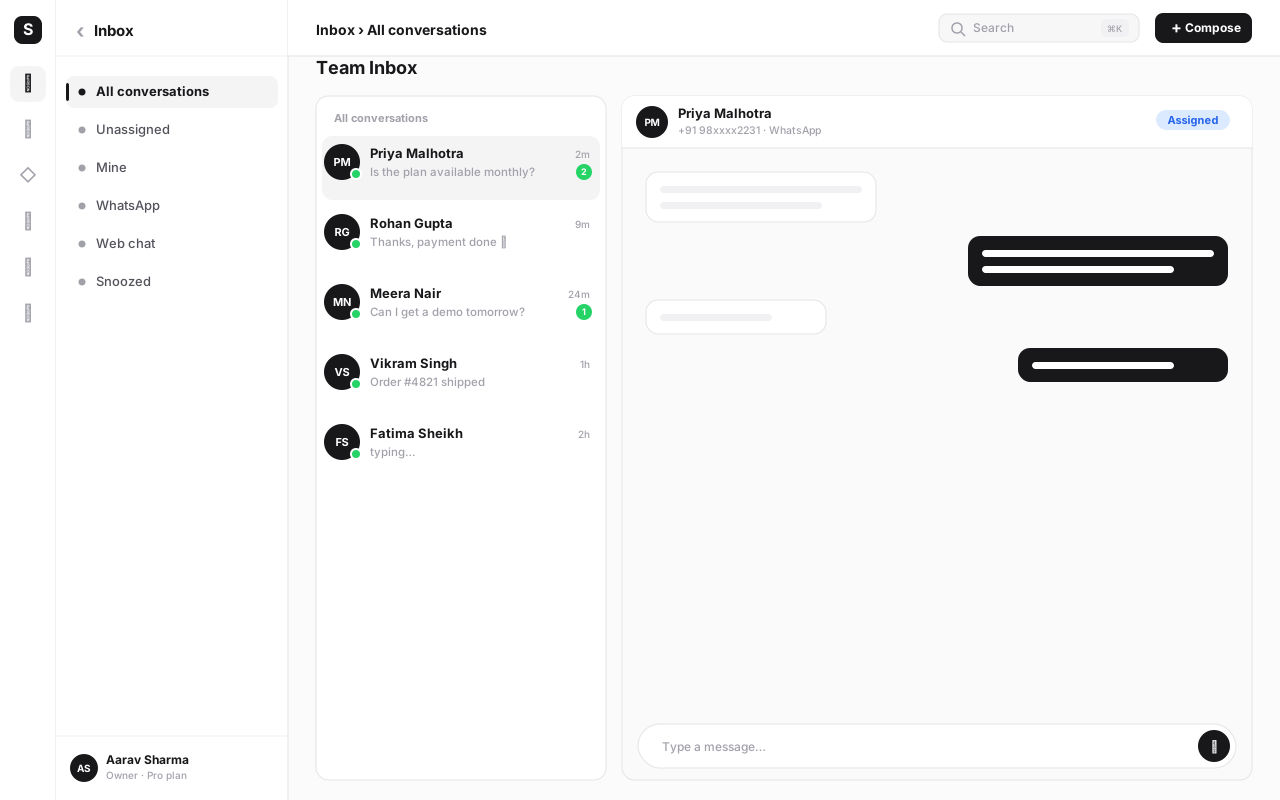
The payoff compounds: relevant messages get higher read and reply rates, which keep your quality rating green, which keeps your messaging tier high, which lets you reach more people next time. Segmentation isn't just better marketing — it's how you protect the channel itself.
Personalize with variables — beyond just the first name#
Personalization on WhatsApp is more than dropping in a name. Templates support variables in the header, body and buttons, and the data behind them comes from your CRM fields. Used well, variables make a one-to-many broadcast feel like a one-to-one message.
Things worth personalizing in a template:
- Name — "Hi {{1}}," is table stakes, but still lifts engagement.
- Order or booking specifics — order number, delivery date, appointment time.
- Amounts and dates — "₹{{2}} is due on {{3}}" for a fee or invoice reminder.
- Dynamic links — a button URL with a per-customer suffix (tracking ref, cart ID).
- Location or agent — the nearest store, or the name of their account manager.
Personalization is only as good as your data. If 30% of contacts have a blank "name" field, your "Hi {{1}}," renders awkwardly. Set sensible fallbacks (e.g. "Hi there,"), clean your CRM fields before a big send, and test the template with a few real records first. A broken variable in front of 20,000 people is a brand bruise you can't undo.
Step-by-step: launch your first broadcast campaign#
Here's the end-to-end flow for running a campaign in WaChat. The sequence matters — most failures come from skipping the early steps and rushing to send.
- Confirm your API setup is live. Your WhatsApp Business API number is connected in WaChat, your display name is approved, and your business is verified. If you're not here yet, start with the WhatsApp Business API guide.
- Check your messaging tier and quality rating. Know how many unique customers you can reach in 24 hours and whether your rating is green. Size the campaign to your tier — don't queue 50,000 sends on a 1,000-tier number.
- Create or pick an approved template. Choose the right category (marketing vs utility), write clear copy, add your variables, attach any header media and buttons, and submit for approval. Wait for "Approved" before continuing.
- Build your audience segment from the CRM. Filter by lifecycle, tags, purchase history or location so the message is genuinely relevant to everyone who'll receive it. Verify every contact in the segment is opted in.
- Map your variables to CRM fields. Connect {{1}} to name, {{2}} to amount, and so on. Set fallbacks for missing values.
- Preview and test-send. Send the template to your own number and two or three teammates. Read it on a real phone — check rendering, links, buttons, and that variables resolve correctly.
- Schedule the send. Pick a sensible time window (mid-morning or early evening usually beats late night) and your audience's time zone. For large lists, let the platform pace delivery rather than firing everything in one second.
- Set up the reply path. Decide what happens when people respond — route to your shared team inbox, trigger a chatbot flow, or assign to an agent. A broadcast that nobody's watching wastes every reply it earns.
- Send, then watch the first batch. Monitor delivery and early reactions on the first few hundred. If reads are healthy and complaints are near zero, let it run. If something's off, pause and fix.
- Review results and log learnings. After the dust settles, compare delivered/read/replied against your goal, note what worked, and feed it into the next campaign.
The best results rarely come from a single message. Sequence them: a launch announcement, a reminder to non-openers two days later, a final "last chance" before the offer ends. WaChat lets you schedule a drip series and exclude people who already converted, so each step stays relevant and you're not nagging buyers who already acted.
Measuring what matters: beyond "sent"#
"We sent 20,000 messages" tells you nothing. A broadcast is only as good as what happened after delivery, and the Business API gives you per-recipient signals that the consumer app never could. Track the funnel, not the headline.
| Metric | What it tells you | What a weak number signals |
|---|---|---|
| Delivered rate | Messages that reached the phone | Invalid/inactive numbers, or a list-quality problem |
| Read rate | Recipients who opened the message | Wrong timing, weak first line, or audience fatigue |
| Reply rate | People who engaged in conversation | Unclear call to action or low relevance |
| Click rate (button/link) | Action on your CTA | Offer or landing page isn't compelling |
| Block / report rate | Negative reactions hurting your quality rating | Irrelevant content, poor targeting, or opt-in gaps |
| Conversion | The business outcome (sale, booking, payment) | The whole funnel needs rework, not just the message |
Read rate is the metric most worth obsessing over early, because it's both a performance signal and a health signal: messages people don't open don't convert and drag your quality rating. Block and report rate is your early-warning system — if it ticks up, slow down and re-examine your targeting before Meta does it for you. Tie everything back to conversion so you're optimizing for revenue, not vanity opens.
Common mistakes that kill WhatsApp campaigns#
Most broadcast failures aren't bad luck — they're the same handful of avoidable errors. Watch for these:
- Blasting the whole list with one generic message. No segmentation means low relevance, which means low reads and high reports. The fastest way to lose your green rating.
- Skipping opt-in or using bought lists. This is account suicide. Numbers you can't prove consent for will get you blocked and reported at scale.
- Treating marketing as utility. Dressing a promo up as a transactional template gets it re-categorized or rejected and erodes trust. Categorize honestly.
- Sending from a cold number at full volume. A brand-new number firing 50,000 marketing messages will hit its tier ceiling or crater its rating. Warm up first.
- No opt-out, or ignoring it. If "STOP" doesn't work, frustrated customers reach for "Block" and "Report" instead — far more damaging.
- Bad timing and over-frequency. Late-night sends and daily promos exhaust goodwill. Respect frequency and your audience's clock.
- Broken personalization. Empty variables, wrong fields, or untested templates put errors in front of thousands. Always test-send first.
- No reply plan. Earning replies and then leaving them unanswered for two days trains customers that messaging you is pointless.
- Measuring "sent" instead of "converted." Optimizing for volume instead of outcomes leads you to send more of what isn't working.
Reach on WhatsApp is earned, not bought. A tight, opted-in, well-segmented send of 2,000 that gets 70% read and a 0.1% complaint rate is worth far more than a 50,000 blast that reads at 20% and gets you throttled. Restraint protects the channel — and the channel is the asset.
How WaChat ties it together#
The reason to run broadcasts inside an all-in-one platform rather than a standalone bulk-sender is that every piece described above lives in one place. In SabNode WaChat, your template library, your opt-in records, your CRM segments, your scheduler, your reply inbox and your analytics are the same system — so a campaign isn't a disconnected export-and-blast, it's a loop.
Here's how the workflow chains together, end to end:
| Stage | What WaChat handles | Connected module |
|---|---|---|
| Audience | Live segment from contacts, tags and behavior | SabCRM |
| Message | Approved templates with variables and buttons | WaChat templates |
| Send | Scheduling, drip sequences, paced delivery | WaChat broadcasts |
| Reply | Routing to agents or chatbot flows | Shared inbox + automation |
| Measure | Delivered, read, replied, conversion | WaChat analytics |
Because replies land back in the shared inbox and are logged to the contact in the CRM, the outcome of every broadcast — who engaged, who bought, who opted out — automatically improves the segment for next time. That feedback loop is what turns one-off campaigns into a compounding channel.
Run your first WhatsApp broadcast on SabNode
Get WhatsApp Business API access, approved templates, CRM segmentation and full delivery analytics in one platform — built India-first. Launch a compliant, opted-in broadcast that lands, gets read, and drives replies.
Conclusion#
A WhatsApp broadcast that converts isn't about reaching the most people — it's about reaching the right people, with a relevant message, on a channel they trusted you with. Get the foundations right and everything else follows: use the Business API rather than the consumer app's Broadcast List, build a clean library of approved templates, message only opted-in audiences, segment from your CRM so each send is relevant, personalize with real data, and measure reads and conversions rather than raw sends.
Do that consistently and three things happen at once: your quality rating stays green, your messaging tier climbs so you can reach more people, and your customers keep opening your messages because they're worth opening. The businesses that win on WhatsApp aren't the ones shouting loudest — they're the ones who treat the channel as a relationship and broadcast like they mean it. Pick one segment, write one good template, and send your first real campaign. You can compare the approach with SMS marketing in India once you see how WhatsApp performs — but most Indian SMBs find WhatsApp is where the conversations, and the conversions, actually happen. For a timed, multi-step follow-up instead of a single blast, see the WhatsApp drip campaigns guide; to understand exactly how far you can scale a broadcast before quality rating becomes the limit, read WhatsApp broadcast limits and quality rating, explained. Explore the full toolkit on SabNode or see plans and pricing to get started.
Frequently asked questions
What is a WhatsApp broadcast campaign?
A WhatsApp broadcast campaign sends the same message to many customers at once as individual one-to-one chats. On the WhatsApp Business API — the version businesses use — broadcasts go out through approved message templates to an opted-in audience, with no practical cap on how many people you reach. Each recipient sees a normal personal message, not a visible group, and can reply directly to start a conversation.
How is a broadcast different from a WhatsApp Broadcast List?
A Broadcast List is a feature of the free consumer WhatsApp app that only delivers to contacts who have already saved your number, and it's capped at 256 recipients per list. A Business API broadcast, run through a platform like SabNode WaChat, has no saved-contact requirement and no 256 limit — it sends approved templates to any opted-in number and tracks delivery, reads and replies for every recipient.
Do I need the WhatsApp Business API to send broadcasts?
For anything beyond a few hundred contacts, yes. The consumer app's Broadcast List is limited to 256 saved contacts and has no opt-in management, templates, segmentation or analytics. The WhatsApp Business API removes those limits and adds approved templates, quality ratings, messaging tiers and reporting — which is what real campaigns need. SabNode WaChat provides the API access plus the campaign tooling.
What is a WhatsApp message template and why do I need one?
A message template is a pre-written message format that Meta reviews and approves before you can send it to people who haven't messaged you in the last 24 hours. Templates can contain variables like the customer's name or order number. Marketing, utility and authentication are the main categories. Without an approved template you cannot start a broadcast — they exist so customers only receive structured, consented business messages.
How do I avoid getting my WhatsApp number blocked when broadcasting?
Only message people who opted in, send relevant and well-timed content, keep marketing volume sensible, and give an easy way to stop. Blocks and 'report' taps lower your quality rating; too many drop your messaging limit tier or pause your number. Warm up gradually, segment so each message is relevant, and never buy or scrape numbers — those are the fastest path to a restricted account.
How many people can I reach with a WhatsApp broadcast?
It depends on your messaging limit tier, which Meta assigns based on your quality rating and sending history. New numbers often start able to reach around 250 or 1,000 unique customers in a rolling 24-hour window, then climb to 10,000, 100,000 and unlimited as you maintain good quality and consistent volume. Staying within your tier and keeping quality high is how you unlock higher limits over time.