How to Design an IVR Your Callers Won't Hang Up On
Most IVRs annoy callers because they're built for the org chart, not the caller. Here's how to design a shallow, caller-first phone menu — greetings, routing, after-hours, CRM screen pops — that people actually finish.
An IVR (Interactive Voice Response) is the automated phone menu that answers your business line, greets the caller, and routes them to the right team, queue, agent or voicemail based on a keypress or spoken choice. Designed well, it gets people where they need to go in seconds. Designed badly, it's the reason they hang up and message a competitor.
This guide is about designing the first kind. Most business IVRs are built around the company's internal departments instead of around what the caller is trying to do, which is why so many feel like a maze. We'll walk through what an IVR is and why it still matters, how to design a caller-first menu, the exact step-by-step build, a concrete sample menu tree you can copy, and the mistakes that quietly cost you calls. We'll use SabCall, the cloud calling module inside SabNode, as the worked example throughout — but the design principles apply to any phone system. This article sits under our broader cloud calling system guide if you want the wider context first.
What an IVR is and why it still matters#
An IVR is the layer that sits between a ringing phone number and a human. When someone calls your business, the IVR answers immediately, plays a greeting, presents a small set of choices, and — based on what the caller picks — sends the call to the right destination. That destination might be a ringing group of sales agents, a support queue with hold music, a specific person, a voicemail box, or a self-service prompt like "press 1 to hear your order status."
It's easy to dismiss the IVR as a relic of corporate call centres, but the opposite is true for a growing business. A small team that can't physically answer every line still needs every caller to feel handled. The IVR is what lets five people behave like a structured department: a sales lead reaches sales without bouncing through support, an existing customer with a billing question skips the sales pitch, and after 7 PM nobody is left listening to a phone ring into the void.
The stakes are concrete. A caller who reaches the wrong person, sits through a six-option menu, or gets dumped into a dead queue doesn't just have a bad moment — they often abandon the call entirely. For a business that spends on ads and marketing to make the phone ring, every abandoned call is paid-for demand thrown away. The IVR is one of the cheapest, highest-leverage things you can fix.
What changed: from PBX hardware to software#
The old IVR lived in a physical box in a server room and was changed by a vendor who billed by the hour. A modern cloud IVR like SabCall's is configured in a browser: you draw the menu, upload or record greetings, set the routing, and publish. Because it's software running on the same platform as your CRM, calling history and automation, the IVR can do things the old box never could — recognise a returning caller, pop their record onto an agent's screen, and trigger a WhatsApp follow-up when they hang up. We'll come back to those integrations, but keep them in mind: the menu is only half the value.
The single rule: design for the caller, not the org chart#
Here's the mistake almost every business makes. Someone sits in a meeting and maps the IVR to the company: "We have a sales department, a support department, an accounts department, a logistics department, and a returns desk — so the menu has five options." That menu is logical to the people who built it and baffling to everyone who calls.
Callers don't know or care how you're organised internally. They have a goal: I want to buy, something is broken, I have a question about my bill, I want to talk to a person. A caller-first IVR is built from that list of goals, in the order of how often callers have them, using words the caller would use. "Press 1 for new orders" beats "Press 1 for the pre-sales acquisition team."
Four design constraints follow directly from this:
- Keep it shallow. Four options or fewer at the top. People can hold about that many choices in working memory while a menu reads aloud. More than that and they stop listening and start pressing buttons at random — or hang up.
- Lead with the common path. Order options by call volume, not by internal hierarchy. If 60% of calls are support, support should not be option 4.
- Always offer a human. Reserve a key — almost universally 0 — for "talk to an operator." Callers who are confused, frustrated or in a hurry need an escape hatch. Hiding the human increases abandonment; offering one reduces it, because people relax when they know it's there.
- Use plain language. Say what the caller would say. Read prompts at a calm pace. Put the action before the key only if it's clearer ("for sales, press 1") — but be consistent throughout the whole tree.
Read your menu aloud to someone who has never seen your business and ask them to pick where their problem goes — without explaining anything. If they hesitate, ask "wait, which one?", or pick the wrong option, the menu is built for you, not for them. Rewrite it until a stranger gets it right on the first listen.
Single-level vs multi-level IVR#
The simplest IVR is single-level: one greeting, one menu, and every option routes straight to a destination. For most small and mid-size businesses, this is all you need, and you should resist adding depth until call volume genuinely demands it.
A multi-level IVR adds sub-menus: press 2 for support, then choose 1 for technical or 2 for account help. Depth is occasionally necessary — a business with high volume across very different support types benefits from sorting callers before they hit a queue. But every extra level is another decision, another chance to lose someone, and another few seconds of the caller's patience spent. The rule is the same at every level: keep each menu to four options or fewer, and never go more than two levels deep without a very good reason.
| Aspect | Single-level IVR | Multi-level IVR |
|---|---|---|
| Best for | Most SMBs; clear, distinct departments | High volume; many sub-types within one department |
| Caller effort | One choice, fast | Two or more choices, slower |
| Routing precision | Good for broad sorting | Better for granular sorting |
| Abandonment risk | Lower — fewer decisions | Higher if levels stack up |
| Maintenance | Easy to keep current | More prompts and paths to maintain |
| Recommendation | Default starting point | Add only when data proves the need |
A practical middle path: keep a single-level top menu, but let one or two options lead to a shallow second level only where it earns its keep. Don't make every branch symmetrical for the sake of tidiness — symmetry is for the org chart, and we already agreed not to design for that.
Greetings, prompts, and how callers choose: DTMF vs speech#
Three pieces of audio do most of the work in an IVR: the greeting, the menu prompt, and the per-option confirmations. Get the writing right and the rest follows.
The greeting should be short and warm: identify the business, set a friendly tone, and move on. "Thanks for calling Sharma Textiles" is plenty. Avoid stacking legal disclaimers, ads or "your call is important to us" filler before the menu — that's where impatient callers start hammering 0.
The menu prompt lists the options. Read it at a measured pace, state the action and the key clearly, and don't bury the human option. A clean prompt sounds like: "For new orders, press 1. For order support, press 2. For billing, press 3. To speak to our team, press 0."
On how callers make that choice, you have two mechanisms — and for the Indian market the trade-off is clear.
| Method | How it works | Strengths | Watch-outs |
|---|---|---|---|
| DTMF keypress | Caller presses a digit (1, 2, 0) | Works on every phone, in noise, across all languages and accents; predictable | Limited to digits; long menus tax memory |
| Speech recognition | Caller speaks ("billing", "sales") | Feels natural; good for long lists and hands-busy callers | Struggles with noise, accents, code-mixing (Hindi-English); adds failure modes |
For most Indian businesses, DTMF keypress is the safe default. It works on a feature phone in a noisy market, it doesn't care whether the caller speaks Hindi, Tamil or English, and it never mishears "billing" as "filling." Speech is a lovely enhancement — and the modern best practice is to accept both, so a caller can say "support" or press 2 — but never make speech the only path. If recognition fails twice, fall back to keypress and, after that, to a human. A caller who has said "agent" three times and is still trapped is a caller you've lost.
Use clear, consistently recorded prompts — ideally one voice across the whole tree — and offer a language choice up front if your callers span Hindi, English and a regional language. Re-recording one prompt in a different voice or volume is jarring and makes the IVR feel broken. In SabCall you can upload professionally recorded audio or use text-to-speech for quick changes, then swap in real recordings later.
Routing: queues, agents, and voicemail#
Once a caller has chosen, the IVR has to send the call somewhere. There are three main destinations, and choosing the right one per option is what separates a smooth experience from a frustrating one.
- Ring group / queue. Most options should route to a group of agents rather than one person. A ring group makes several phones ring at once (or in sequence) so the first available agent answers. A queue holds callers in line with hold music and announces position or wait time when everyone is busy. Queues are right for support and high-volume sales; ring groups are right for smaller teams.
- Specific agent. Use this sparingly — for a named account manager line or a direct extension. Routing everything to one person creates a single point of failure: when they're on lunch, the option is broken.
- Voicemail. The catch-all when no one can answer — after hours, during overflow, or for low-priority paths. A voicemail with a clear prompt ("leave your number and order ID, we'll call back within one business hour") is far better than endless ringing. Crucially, the voicemail should go somewhere — see the automation section below.
Always define what happens when an option's destination can't take the call: overflow to another queue, fall through to voicemail, or offer a callback. A menu option that rings forever because the team is busy is, from the caller's side, identical to a broken number.
After-hours and holiday handling#
The fastest way to ruin an otherwise good IVR is to let it route the same way at 2 AM as it does at 2 PM. A caller who navigates your menu, picks support, and lands in a queue that nobody is staffing will wait, then abandon, then resent you for it.
Every business IVR needs business-hours routing: a schedule that defines when each path is open. Outside those hours, calls should divert to an after-hours flow — a greeting that states your hours and offers voicemail, a callback request, or (for genuinely urgent paths) an emergency contact. Don't pretend to be open. "Our office is closed; please leave a message and we'll call you back when we open at 9:30 AM" respects the caller's time.
On top of the weekly schedule you need a holiday calendar. India has a dense and regionally varied holiday map — national holidays, state holidays, and festivals like Diwali, Holi, Eid and Pongal that vary by location. A holiday calendar lets specific dates override the normal weekly hours so the IVR automatically switches to the closed/holiday greeting without anyone touching it on the day. Set it once a year and forget it.
| Time condition | What the IVR should do |
|---|---|
| Open hours (e.g. Mon–Sat 9:30–18:30) | Play full menu; route to live queues and agents |
| After hours / weekend off | Closed greeting; offer voicemail, callback, or urgent path |
| Lunch / short break | Optional short-closure greeting; voicemail or callback |
| Public holiday (calendar override) | Holiday greeting; voicemail or callback; no live queue |
| Overflow (all agents busy) | Hold in queue with wait time, then voicemail or callback offer |
Connecting the IVR to your CRM and automation#
This is where a cloud IVR pulls decisively ahead of an old phone box, and it's the part most setup guides skip. Because SabCall's IVR runs in the same platform as the CRM and the automation engine, the menu isn't an island — it's wired into the rest of the business.
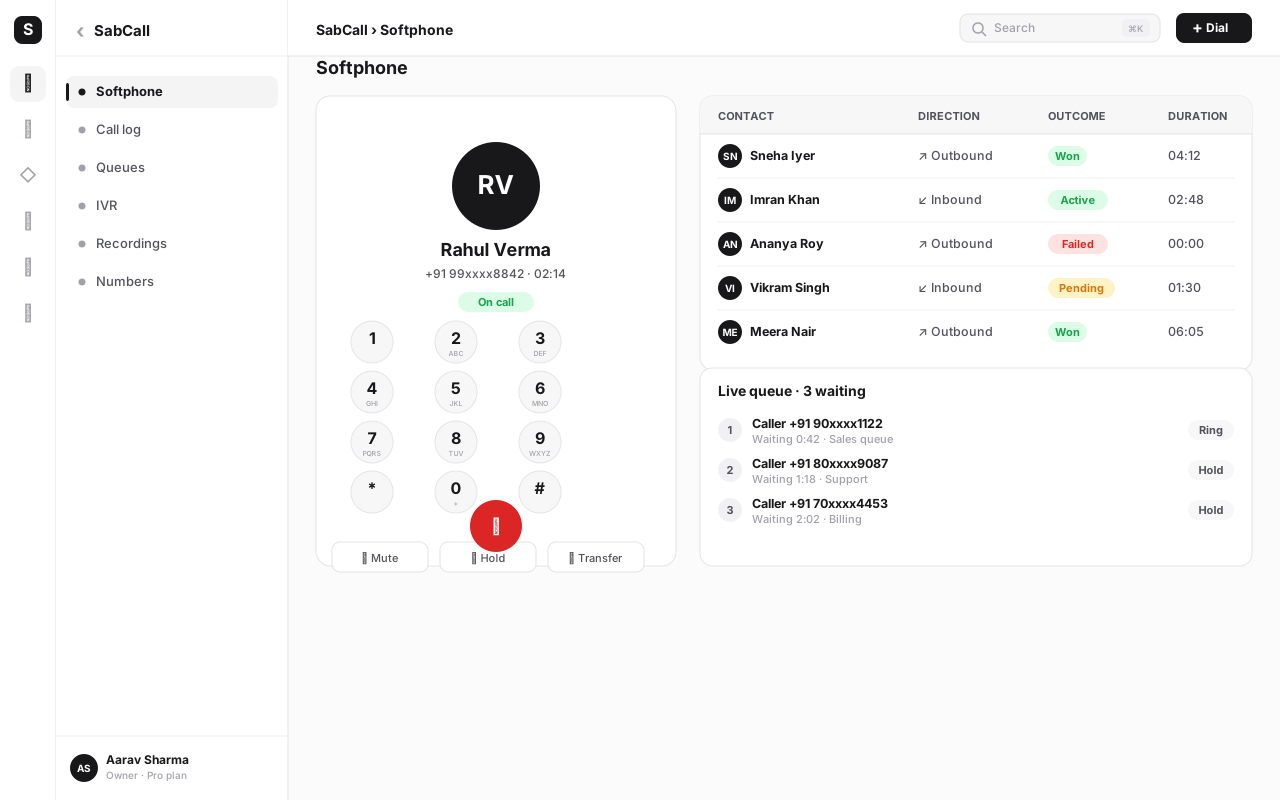
Screen pop. When the IVR routes a call to an agent, it can look up the caller's number and pop their record onto the agent's screen before they answer — name, company, recent orders, open support tickets, last conversation. The agent greets the caller by name with full context instead of asking "can I have your order number?" for the third time. For a known customer, that single feature transforms the call. (More on how the calling and CRM layers fit together is in our call center software guide.)
Missed-call and abandoned-call automation. Every call the IVR can't complete — voicemail left, caller abandoned in the queue, after-hours hang-up — should fire an event your automation can act on. With SabFlow automations you can turn that event into action: create or update the contact, log the missed call as a task assigned to the right rep, send the caller an automatic WhatsApp ("Sorry we missed you — reply here or we'll call back at 10 AM"), and notify the team in their inbox. The result is that no caller silently disappears, even when nobody picked up.
Self-service paths. Because the IVR can talk to your data, some options can resolve without a human at all — "press 1 to hear your order status" can read back a status pulled from the CRM. Use this judiciously; self-service should save the caller time, not trap them.
A standalone IVR just sorts calls. An IVR connected to your CRM and automation captures the relationship: every call, missed call and voicemail is logged to the right contact, follow-ups happen on their own, and agents always know who they're talking to. That continuity — not the menu itself — is what makes callers feel looked after.
A concrete sample menu tree#
Here's a complete, copyable IVR for a typical Indian product business — shallow at the top, one optional sub-level, a human always reachable, and proper after-hours handling.
GREETING
  "Thanks for calling Sharma Textiles. For service in Hindi, press 9."

MAIN MENU  (during open hours, Mon–Sat 9:30–18:30 IST)
  1  Sales — new orders & products
        → ring group: Sales team
        → if busy: queue with hold music → voicemail
  2  Support — existing orders & issues
        → SUB-MENU
            1  Order tracking / delivery   → Support queue (Logistics)
            2  Returns / replacements      → Support queue (Returns)
            0  Talk to a support agent      → Support ring group
  3  Billing & payments
        → ring group: Accounts
        → if busy: voicemail (capture order ID + callback number)
  0  Operator — talk to a person
        → reception ring group → voicemail

AFTER HOURS / SUNDAY / HOLIDAY  (calendar override)
  Greeting: "Our office is closed. We're open Mon–Sat, 9:30 AM to 6:30 PM.
             Press 1 to leave a voicemail, or press 2 to request a callback."
  1  Voicemail  → notify team + log to CRM via automation
  2  Callback request → create task + WhatsApp confirmation to caller

FALLBACKS (apply everywhere)
  No input after 2 prompts   → repeat menu once → route to operator (0)
  Invalid key                → "Sorry, I didn't get that" → repeat menu
  Speech not understood ×2   → fall back to keypress → operator
Notice what this tree does: the top menu has just three real options plus the operator; the common paths (sales, support) come first; support has exactly one shallow sub-level where it genuinely helps; 0 reaches a human from every level; and after-hours never drops a caller into an empty queue. That's the whole game.
How to build an IVR in SabCall, step by step#
Here's the end-to-end build. The same sequence works in most cloud phone systems; the screens are SabCall-specific.
- Map the menu on paper first. Before touching any software, write your menu tree like the sample above. List caller goals by volume, decide the top options (four or fewer), mark where a sub-level is truly needed, and pick the destination for each option. This is the real work — the software is just data entry once the design is right.
- Provision your number and connect SabCall. In SabCall, set up the phone number (DID) that callers will dial and confirm it's live. This is the entry point the IVR answers.
- Create the IVR flow. Open the IVR/call-flow builder and create a new flow attached to your number. You'll build the greeting, menu and routing as a connected tree.
- Record or generate the greeting and prompts. Write each prompt in plain language, then either upload professionally recorded audio or generate text-to-speech to start. Keep one consistent voice. Add a language-choice prompt if your callers need it.
- Define the top menu and key mappings. Add each option, map it to a keypress (and a spoken keyword if you're enabling speech), and set the destination — ring group, queue, sub-menu or voicemail. Reserve 0 for the operator.
- Build any sub-menus (sparingly). Only where your paper map called for it, add a shallow second level with its own short prompt and the same rules.
- Set up queues, ring groups and agents. Create the teams each option routes to, add the agents, and choose ring strategy (all at once or in turn). Define overflow: what happens when everyone's busy.
- Configure business hours and the holiday calendar. Set your open hours and build the after-hours flow. Add national and relevant regional Indian holidays so those dates override automatically.
- Wire up voicemail and fallbacks. Set voicemail prompts and where messages land. Add the no-input, invalid-key and speech-failure fallbacks so no caller gets stuck.
- Connect the CRM and automation. Enable screen pop so agents see the caller's record. In SabFlow, build automations for missed calls, abandoned calls and voicemails — log the contact, create a task, send a WhatsApp follow-up.
- Test every path — including the bad ones. Call your own number. Walk every option, every sub-menu, the operator key, an invalid key, no input at all, and the after-hours flow (test it by temporarily shifting your hours). Listen as a caller, not as the builder.
- Publish, then watch the numbers. Go live, then review your IVR analytics weekly for the first month. Where callers drop off, where they zero-out, and where they're mis-routed will tell you exactly what to fix.
Build a phone menu callers finish
Design a caller-first IVR, route by business hours, and pop the CRM record before agents say hello — all inside SabCall. Start free and add what you need as you grow.
Measuring whether your IVR works#
You can't improve what you don't watch, and an IVR generates exactly the signals you need. Five metrics tell you almost everything.
| Metric | What it tells you | What to do when it's bad |
|---|---|---|
| Abandonment rate | Callers hanging up inside the menu | Shorten the menu; lead with common paths; offer 0 sooner |
| Menu drop-off by option | Which step loses people | Reword the confusing prompt; flatten that branch |
| Time-to-agent | How long callers wait to reach a human | Add agents/overflow; trim menu depth |
| Zero-out rate | How often callers bail to the operator | The menu isn't answering their need — rethink options |
| Mis-route rate | Transfers to the wrong team | Fix unclear option wording or sub-menu logic |
A rising zero-out rate is the most useful single alarm: it means callers are giving up on your menu and demanding a human. A small amount is healthy (the escape hatch is working); a spike means the menu has stopped doing its job. Pair the numbers with occasionally listening to recordings of abandoned and zeroed-out calls — that's where you hear the real reason.
Accessibility: an IVR everyone can use#
A menu that only works for fast, confident, fully-abled callers is a menu that quietly excludes people. Accessibility in an IVR isn't a separate feature — it's mostly good design done with care.
- Pace and clarity. Read prompts at a calm, even pace. Don't rush the options together. Older callers and non-native speakers need a beat between choices.
- Generous timeouts. Give callers enough time to respond after the menu before treating it as no-input. Someone finding their reading glasses or moving to a quiet spot shouldn't be timed out and dumped.
- Always-available human. The 0-for-operator path is an accessibility feature as much as a convenience one — for anyone who can't navigate the menu, the human is the way through.
- DTMF as the floor. Because keypress works on every phone and in every condition, never gate access behind speech recognition that may not understand a caller's voice or language.
- Language choice up front. Offer the caller's language early, before they have to parse an unfamiliar menu.
- No dead ends. Every path — including errors, failed speech and missed input — must lead somewhere a human can help. A caller should never be able to reach a point with no way forward.
Done right, these don't slow anyone down. A clear, calm, escapable IVR is better for every caller, not just those who needed the accommodation.
Common mistakes when setting up an IVR#
Even teams that know the theory fall into the same traps. Watch for these.
- Building the menu around departments. The number-one error. Map options to caller goals and volume, not your internal structure.
- Too many options. Five, six or seven choices at the top. Callers stop listening after four. Flatten or split into a shallow sub-level instead.
- Hiding the human. Removing or burying the operator key to "deflect" calls. It backfires — callers feel trapped, abandon more, and trust you less. Make 0 obvious.
- No after-hours or holiday handling. Routing to live queues at night or on Diwali. Always have a closed greeting with voicemail or callback.
- Dead-end voicemail. Collecting voicemails nobody listens to or acts on. Wire voicemail to automation so each one creates a task and a follow-up.
- Never testing the failure paths. Testing happy-path option 1 and shipping. Test no-input, invalid keys, all-agents-busy and after-hours, because that's where real callers get stuck.
- Set-and-forget. Building it once and never looking again. Call volumes and teams shift; review the analytics and re-tune the menu every quarter.
- Inconsistent prompts. Different voices, volumes or phrasings across the tree make the IVR feel broken. Keep one voice and one style.
- Treating the IVR as standalone. Skipping the CRM and automation integration. The connected IVR is the one that actually pays for itself.
Conclusion#
A great IVR is invisible. The caller dials, hears a warm greeting, makes one quick choice, and is talking to the right person — or leaving a message they trust will be answered — within seconds. They never notice the design work, because good design is what you don't notice. A bad IVR, by contrast, is the most memorable part of the call, for all the wrong reasons.
The principles are simple and they hold for any business: design around the caller's goals, keep it shallow, always offer a human, route by real business hours and a holiday calendar, and connect the menu to your CRM and automation so every call — answered or missed — moves the relationship forward. Get those right and you turn your phone line from a leaky funnel into a reliable front door.
In SabCall, all of that lives in one place: the IVR builder, the queues and agents, the recordings, the CRM screen pop and the automation that catches every missed call. Map your menu on paper, build it caller-first, test the bad paths, and watch the numbers — your callers will stop hanging up. To see how the calling layer fits into the rest of your stack, start with the cloud calling system guide, then explore SabNode's all-in-one platform. When you're ready to build, you'll find SabCall on every pricing plan that includes calling.
Frequently asked questions
What is an IVR?
An IVR (Interactive Voice Response) is the automated phone menu that greets callers and lets them choose where their call goes — by pressing a key on the keypad or speaking. A well-designed IVR routes each caller to the right team, queue, agent or voicemail without a human picking up first, and handles business hours, holidays and overflow automatically.
How many options should an IVR menu have?
Keep the top menu to four options or fewer, plus a way to reach a human (usually 0 for the operator). Research and real-world call data both show callers struggle to hold more than four choices in working memory. If you need more paths, use a shallow second level rather than reading out six or seven options at the top.
Should an IVR use keypress or voice recognition?
For most Indian businesses, DTMF keypress (press 1 for sales) is the safest default — it works on every phone, in noisy environments and across accents and languages. Speech recognition feels modern but adds failure modes. A common pattern is to accept both, so callers can say 'sales' or press 1, with keypress as the reliable fallback.
How do I handle calls after business hours?
Set business-hours routing in your IVR so that outside open hours, calls go to an after-hours greeting that offers voicemail, a callback request or an emergency path — never to a queue that nobody is staffing. Add a separate holiday calendar so national and regional holidays in India override the normal weekly schedule automatically.
Can an IVR connect to my CRM?
Yes. In SabCall, the IVR runs in the same platform as SabCRM, so when a call is routed the agent gets a screen pop with the caller's record, history and open deals before they say hello. Unanswered and abandoned calls can trigger an automation — log the contact, create a task or send a WhatsApp follow-up — so no caller falls through the cracks.
How do I measure whether my IVR is working?
Track call abandonment rate (callers who hang up inside the menu), menu drop-off by option (where people give up), average time-to-agent, mis-routes (transfers to the wrong team) and zero-out rate (how often callers press 0 for a human). Rising abandonment or a spike in zero-outs usually means the menu is too long, confusing or pointing people to the wrong place.