WhatsApp Business API for Restaurants: Menus, Bookings and Orders
A QR code on the table, a menu in the chat, a booking flow that doesn't need a host on the phone. Here's how restaurants run ordering and bookings on WhatsApp.
A restaurant can run its entire ordering and booking experience on the WhatsApp Business API: a QR code opens the chat, a catalog shows the menu with photos and prices, a WhatsApp Flow captures a table booking's date, time and party size in one screen, and a cart-based order arrives as a structured message that staff confirm and a customer can pay with a link. No PDF menu, no phone queue at the host stand, and no separate ordering app to download. This guide walks through each piece — menu, booking, ordering, payment, status updates — and how it compares to relying on a third-party delivery marketplace alone.
Why a table QR code should open WhatsApp, not a web menu#
Most restaurants that added a QR code in the last few years pointed it at a website: a scrollable web menu, sometimes an ordering cart bolted onto it. It works, but it asks something of the customer that a WhatsApp code doesn't — it asks them to trust and navigate an interface they've never seen before, on a network connection that might be a shaky in-restaurant Wi-Fi, in the thirty seconds between sitting down and deciding whether to just wave at a server instead.
A WhatsApp QR code skips that entire trust exercise. Scanning it opens a chat with the restaurant's number inside an app already installed, already logged in, already familiar. There's no "is this website legitimate," no waiting for unfamiliar fonts and images to load, no pinch-to-zoom on a PDF that was clearly designed for print. The customer lands in the one interface pattern — a chat thread — that every smartphone owner already knows how to use without thinking about it.
That difference shows up as a real conversion gap. Every additional step between "I'm hungry and holding my phone" and "I've placed an order" is a chance for someone to give up and just ask a server verbally instead, which puts you right back to needing enough staff on the floor to take orders by hand. A QR-to-WhatsApp flow compresses that gap to essentially one tap: scan, chat opens, menu is right there.
This isn't an argument against having a website at all — a restaurant still benefits from a web presence for discovery, reviews and general information. It's specifically about where the table QR code should send someone at the exact moment they're deciding what to eat: the path with the fewest steps between intent and order wins, and for a phone already holding WhatsApp, that path runs through the chat, not a browser tab.
The menu: your WhatsApp catalog, always current#
Once the chat is open, the next thing a customer expects is the menu — and this is where a WhatsApp catalog does more than a PDF ever could. A catalog is a structured product list attached to the WhatsApp Business number: each dish gets a name, a price, a photo and a short description, and the customer browses it as a scrollable, tappable list inside the same conversation, not a document they have to download and zoom into.
The advantage over a PDF isn't just presentation — it's that the catalog is a live list you control from one place. Ran out of a dish tonight, or the price of a seasonal ingredient changed? Update the catalog entry once, and every customer who opens the chat from this point forward sees the current version. A PDF menu, by contrast, tends to live in three places at once — printed on the table, linked from the website, saved to someone's phone from last month — and updating all of them in sync rarely happens as fast as it should.
| PDF or printed menu | WhatsApp catalog |
|---|---|
| Static — a price or availability change means reprinting or re-uploading | One edit updates what every customer sees from that moment on |
| Customer downloads or opens a separate file to browse | Browsed as a scrollable list inside the same chat they'll order from |
| No direct path from "looking at the menu" to "placing an order" | Items add straight to a cart the customer can check out from |
| Photos, if included, are often outdated or low-resolution scans | Each item carries its own current photo, price and description |
| No visibility into what customers actually looked at before ordering | Catalog interactions live in the same conversation thread as the order |
A catalog also does quiet work a printed menu can't: grouping dishes into sections (starters, mains, desserts, today's specials), marking something as a chef's recommendation, or temporarily hiding an item that's sold out for the evening without touching anything printed on the tables. Confirm the exact catalog fields and limits currently supported for your account via Meta's WhatsApp Business Platform documentation, since catalog capabilities do get refined from Meta's side over time — but the core idea, a structured, always-current menu inside the chat, is stable and already how most WhatsApp commerce sets up.
There's also a discovery benefit that's easy to overlook: a catalog isn't only reachable from a table QR code. The same product list can be linked from an Instagram bio, a Google Business profile message button, or a "view menu" reply a chatbot sends automatically the first time a new number messages the restaurant. One catalog, maintained in one place, ends up serving every entry point into the conversation — not just the one printed on a table tent.
Table bookings without tying up the host stand: WhatsApp Flows#
Ask anyone who's worked a host stand on a Friday night what the worst part of the job is, and a fair number will say the phone. It rings mid-seating, mid-walk-in-greeting, mid-everything, and now someone has to stop, find a pen, write down a name, a time, a party size, and maybe a request for a window table — all while three more parties are standing at the door waiting to be seated.
A WhatsApp Flow replaces that call with a form the customer fills in themselves, inside the chat, without a host ever picking up a phone. The customer taps a "Book a table" button, a structured screen opens with a date picker, a time selector, a party-size field and an optional notes box for anything special — a birthday, a highchair, a specific seating preference — and they submit it in one motion. The booking arrives at the restaurant as clean, structured data: an actual date, an actual time, an actual number, not a voicemail to be transcribed or a name shouted over the counter noise.
Pair the booking Flow with an automated confirmation reply the moment it's submitted — "You're booked for 4 at 8:00 PM Saturday, see you then." The customer gets certainty instantly instead of waiting for someone to call back, and the host stand gets a clean queue of confirmed bookings instead of a stack of paper slips.
This is the same category of problem WhatsApp Flows solve everywhere they're used well: replacing a back-and-forth that depends on a human being available to answer a phone or interpret free text, with a structured form that captures the same information in one guided pass. For a deeper look at how Flows work, including static versus dynamic screens and how completed submissions can feed straight into a CRM record, see the WhatsApp Flows guide.
A booking Flow doesn't need to be complicated to be worth building. A single screen with four fields — date, time, party size, notes — covers the overwhelming majority of table reservation requests a restaurant actually receives, and it's a far smaller build than most restaurants expect before they look at what a Flow actually is.
It's also worth being upfront that a Flow won't fully replace a phone line for every restaurant overnight — large parties, private dining requests, or a regular who just prefers to call will still reach for the phone sometimes, and that's fine. The goal isn't zero phone calls; it's fewer of the routine ones, so the calls that do come in are the ones that actually need a person's judgment rather than a name, a time and a headcount someone has to write down by hand.
Orders: from cart to kitchen to payment#
The order side works the same way the menu browsing does — everything stays inside the one chat thread. A customer taps through the catalog, adds dishes to a cart, and when they're ready, the cart becomes a single structured order message: what was ordered, how many of each, and the total. That message lands in the restaurant's shared inbox exactly like any other WhatsApp conversation, where staff can see it, confirm it, and route it to the kitchen — no separate ordering dashboard to keep open on a second screen.
Where the order goes from there depends on how the customer is ordering:
| Order type | How it typically plays out |
|---|---|
| Dine-in pre-order | Table QR opens chat, customer orders before or right after sitting down; kitchen starts on confirmation, no waiting for a server to take the order verbally |
| Takeaway / pickup | Customer orders ahead from the chat, pays via a SabPay link or chooses pay-on-pickup, and walks in straight to collect instead of queuing at the counter to order |
| Delivery | Order includes an address in the Flow or chat, payment link sent for prepayment (or cash/UPI on arrival), and status templates track it through to "out for delivery" |
For payment, a SabPay link attaches directly to the confirmed order — the customer taps it, pays by card, UPI or netbanking, and the restaurant sees the payment status against that same conversation. Prepayment is the natural default for delivery and for larger takeaway orders, where a restaurant doesn't want to start cooking against an order that might not be collected; for dine-in, pay-on-arrival at the table remains the norm, with the payment link offered as a faster checkout option once the bill is settled.
A structured cart order isn't the same as an unattended, fully automatic kitchen ticket — a person on staff should still confirm the order arrived correctly (stock, timing, any last-minute unavailability) before it's treated as accepted. Building that one confirmation tap into the process keeps the speed of a structured order without losing the judgment call a human makes on a busy night.
Status updates that stop the "is it ready yet" calls#
Once an order or a booking is confirmed, the single most common thing a customer wants to know next is simple: is it ready? Traditionally, that question turns into a phone call — to the kitchen, to the delivery rider, to whoever picks up first — right in the middle of the restaurant actually trying to get the food out.
A short sequence of WhatsApp Utility templates answers that question before it's asked. "Your order is confirmed," "your order is being prepared," "your order is out for delivery," "your table is ready" — each one lands in the same chat thread the customer already has open, at the moment it becomes true. The customer checks their phone instead of picking up the restaurant's, and the person who would otherwise have fielded that call stays focused on the floor or the kitchen line.
This matters more during a rush than it does on a quiet Tuesday. The busier the shift, the more valuable it is that "where's my order" never has to reach a human being at all — every status update sent automatically is one interruption that didn't happen to someone who was mid-plating or mid-seating a walk-in.
The same logic extends past the order itself. A booking confirmation the moment a Flow is submitted, a gentle reminder an hour or two before the reserved time, and a short "your table's ready, please head to the host stand" message all follow the identical pattern — information the customer would otherwise have to call and ask for, delivered to the exact chat thread they already have open, at the moment it becomes true rather than whenever someone gets a free second to pick up the phone.
WhatsApp ordering vs a third-party delivery marketplace app#
Most restaurants already have at least one delivery marketplace app in the mix, and that's not a mistake — marketplaces bring discovery and a large existing customer base that a restaurant's own channel simply can't replicate on day one. WhatsApp ordering isn't a replacement for that; it's a channel for the customers a restaurant already has, or is bringing in itself through a QR code, a social bio link or a repeat order.
The practical pattern most restaurants land on is both, deliberately split by purpose: the marketplace app for bringing in new customers who are browsing options in their area, and WhatsApp for everyone who's already been in — the QR code on the table, the number on the receipt, the regular who orders the same thing every Thursday. Every order that runs through WhatsApp instead of the marketplace is one that doesn't carry a commission and one more entry in a customer history the restaurant actually owns.
How to set up WhatsApp ordering and bookings for a restaurant#
-
Get a verified WhatsApp Business Platform number. This is the foundation everything else attaches to — the catalog, the Flows, the templates and the shared inbox all live on this one verified business number.
-
Build your catalog from your actual menu. Photograph each dish, write a short description, and set the current price. Group items into sections (starters, mains, specials) so the catalog reads the way your printed menu already does.
-
Design one booking Flow. Keep it to the essentials — date, time, party size, notes — so it's fast enough that a customer fills it in without thinking twice, rather than giving up and calling instead.
-
Set up your order-status and booking-confirmation templates. Get Meta's approval on a small set of Utility templates: booking confirmed, order confirmed, order being prepared, out for delivery or ready for pickup, and table ready.
-
Connect a SabPay payment link to your order flow. Decide which order types default to prepayment (delivery, larger takeaway) and which stay pay-on-arrival (most dine-in), and attach the link at the right point in the confirmation message.
-
Print and place your WhatsApp QR codes. Table tents, counter stickers, receipts, and your Instagram or Google Business bio should all point at the same WhatsApp number — not a mix of a web menu QR here and a WhatsApp QR there.
-
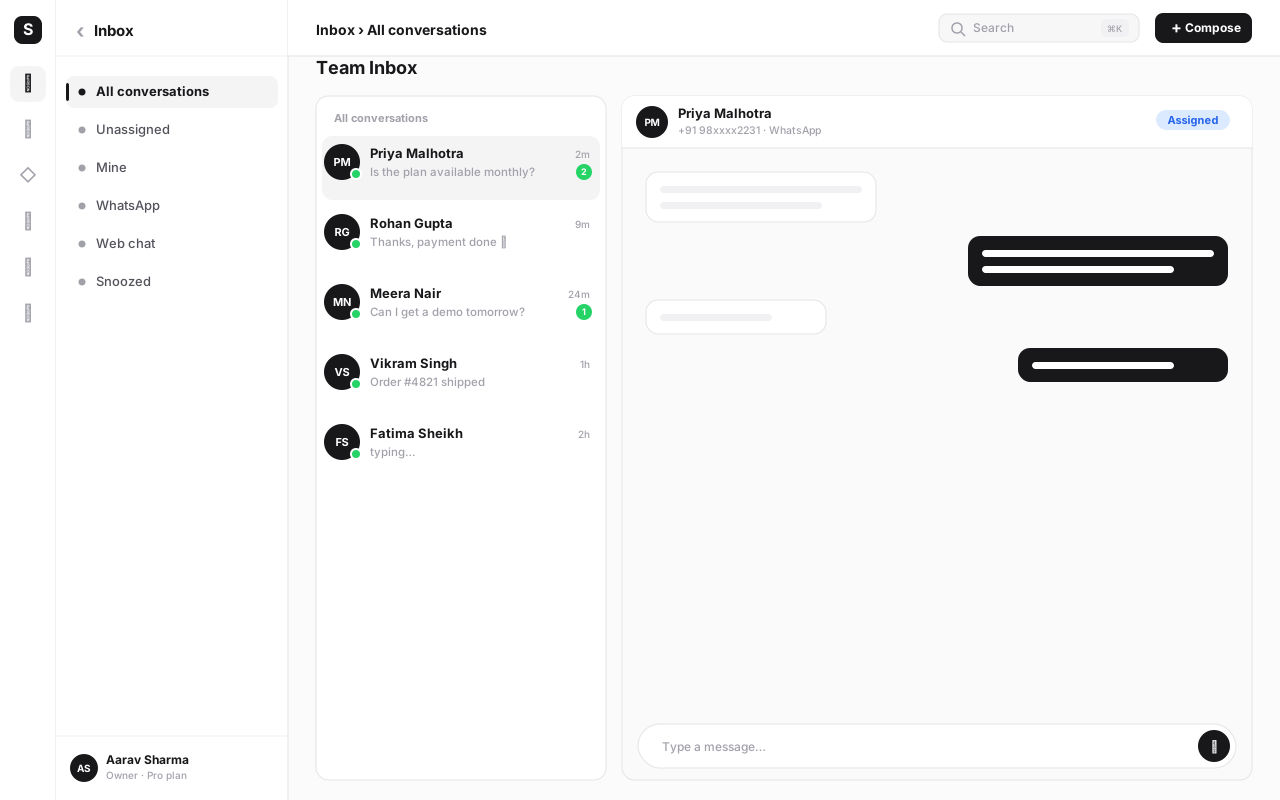
Set up a shared team inbox. More than one staff member needs to see incoming chats — a host, a counter lead, whoever's on shift — so an order or booking never sits unread because the one phone with WhatsApp on it is in someone's pocket. A shared team inbox with clear ownership per conversation solves this.
-
Train staff on the confirm-and-route step. Every incoming cart order or booking should get one quick human check before it's treated as accepted — right table, right time slot, item actually in stock tonight — so speed doesn't come at the cost of accuracy.
-
Watch which orders and bookings come through WhatsApp versus other channels. Once volume builds, use that split to decide where to put more of your promotion effort — the QR code placements, the receipt messaging, or a nudge to regulars to save your WhatsApp number.
Utility templates for order and booking status need Meta's review before they can be sent. Get your core templates approved first, test the full flow yourself on a real phone, and only then print and place QR codes across every table — rolling out a QR code campaign before your confirmation and status messages are live just means the first wave of customers gets a worse experience than the one you designed.
Common mistakes to avoid#
- Pointing the table QR code at a web menu instead of WhatsApp. If the goal is fewer steps between "hungry" and "ordered," sending the customer to an unfamiliar website undoes the entire advantage of using WhatsApp in the first place.
- Letting the catalog go stale. A menu that still lists a dish you stopped serving two weeks ago erodes trust fast — treat catalog updates as part of daily open/close routine, not an occasional chore.
- Building a booking Flow with too many fields. A table reservation needs a date, a time, a party size and maybe a note — not eight screens of preferences nobody will fill in on a Saturday night.
- Skipping the human confirmation step on orders. A structured cart order still needs a person to check it's actually doable tonight before the kitchen starts — treating it as fully automatic risks a confirmed order for a dish that just ran out.
- Only checking WhatsApp from one phone. Without a proper shared inbox, an order or booking can sit unread while the one device with WhatsApp installed is in someone's apron pocket during the rush.
- Sending no status updates at all. Skipping the confirmation and "ready" messages just moves the phone-call problem back onto the restaurant — the entire point of status templates is to answer the question before it's asked.
- Treating WhatsApp and a delivery marketplace as either/or. They serve different jobs — discovery versus direct relationship — and most restaurants get more value running both deliberately than dropping either one.
Put your menu, bookings and orders on one WhatsApp number
WaChat gives you the catalog, booking Flows, order templates and a shared inbox on one platform — paired with SabPay for payment links and SabCRM for every customer's order history. Start free and set up your first table QR code today.
Pricing, in brief#
Setting up a WhatsApp catalog, booking Flows, order templates and a shared inbox doesn't require piecing together separate tools or separate bills. SabNode's Growth plan (₹2,499/month or ₹24,990/year) includes the full WaChat feature set — catalog, Flows, templates, shared inbox — alongside SabPay for payment links, on one login and one invoice. The free Starter plan is available to explore the platform before committing to a paid tier, and Scale and Enterprise tiers exist for restaurant groups running higher volume or multiple locations. See the full pricing guide for the complete breakdown across all modules.
Conclusion#
The pattern underneath all of this is the same one repeatedly across every part of a restaurant's WhatsApp setup: replace a step that used to depend on a person being available — a phone ringing at the host stand, a call asking where an order is, a PDF someone has to keep re-uploading — with something structured that runs inside a chat the customer already has open. A catalog replaces the PDF. A Flow replaces the booking call. A cart order replaces a verbal order taken by hand. Status templates replace the "is it ready yet" phone call.
None of it requires the restaurant to give up a delivery marketplace app it already relies on for discovery — WhatsApp ordering sits alongside that, specifically for the customers a restaurant is already reaching through its own QR codes, receipts and repeat traffic, at no commission and with the full order history staying in the restaurant's own hands.
Start with the piece that removes the most friction right now — usually the table QR code and the catalog — and layer in booking Flows and status templates once that's running. For the mechanics of building the booking form itself, see the WhatsApp Flows guide; for the QR code side of getting customers into the chat in the first place, see the QR codes for business guide. Or explore WaChat directly and sign up free to set up your first WhatsApp menu today.
Frequently asked questions
Can a restaurant really take orders directly on WhatsApp?
Yes. A restaurant can list its menu as a WhatsApp catalog, let a customer build a cart inside the chat, and receive that cart as a structured order message. Staff confirm it in a shared inbox, and a SabPay payment link can be attached for prepayment or the customer can choose to pay on pickup or delivery. Confirm the current catalog and cart capabilities for your account via Meta's WhatsApp Business Platform documentation, since the exact feature set is occasionally revised.
How does a WhatsApp table booking actually work for the customer?
Instead of calling and waiting for someone to pick up, the customer taps a button in the chat that opens a WhatsApp Flow — a native in-chat form with a date picker, a time selector, a party-size field and an optional notes box. They fill it in on one screen and submit; the restaurant receives the booking as structured data (not a voicemail or a scribbled note) and can confirm with an automated reply.
Do customers need to install a special app to order or book on WhatsApp?
No. WhatsApp is already installed for the overwhelming majority of smartphone users in India, so there's no download, no account creation, and no new interface to learn. That's a large part of why a WhatsApp QR code on a table tends to convert better than a QR code pointing at an unfamiliar web ordering page — the customer lands somewhere they already know how to use.
Does a restaurant lose the customer relationship by using WhatsApp instead of a delivery marketplace app?
It's the opposite. When an order comes through a restaurant's own WhatsApp number, the restaurant keeps the customer's contact, order history and conversation thread directly — nothing sits behind a marketplace's own customer account. That's the main reason many restaurants add WhatsApp ordering alongside a marketplace app rather than relying on the marketplace alone: it's a channel where every order builds the restaurant's own list of repeat customers.
How do order-status messages on WhatsApp reduce phone calls to the restaurant?
A short sequence of Utility template messages — order confirmed, order being prepared, out for delivery or table ready — answers the single most common question a host or kitchen fields by phone: 'is it ready yet?' Because the customer already has the answer sitting in their chat thread, they don't need to call and interrupt someone mid-service to ask.
What does a restaurant need to get started with WhatsApp ordering and bookings?
A verified WhatsApp Business Platform number, a menu with photos and prices to load into a catalog, a place to display a WhatsApp QR code (table tents, counter, receipts, Instagram bio), a small set of order-status and booking-confirmation templates approved by Meta, and a shared inbox so more than one staff member can see and respond to incoming chats. A platform like SabNode's WaChat bundles the catalog, Flows, templates and shared inbox together instead of assembling them from separate tools.
Is WhatsApp ordering only useful for delivery, or does it work for dine-in and takeaway too?
All three. A dine-in table can scan a QR code to pre-order before the server arrives, a takeaway customer can order ahead and skip the counter queue, and a delivery customer can place a full order with an address and a payment link — the same catalog, cart and order-message mechanics work for each, only the fulfilment details differ.